Compare Salesforce project management options

How Inspire Planner compares

These pages set out the facts, dated, so you can compare Inspire Planner with the way you work today and decide what fits.

4.95/5 from 175+ reviews on AppExchange
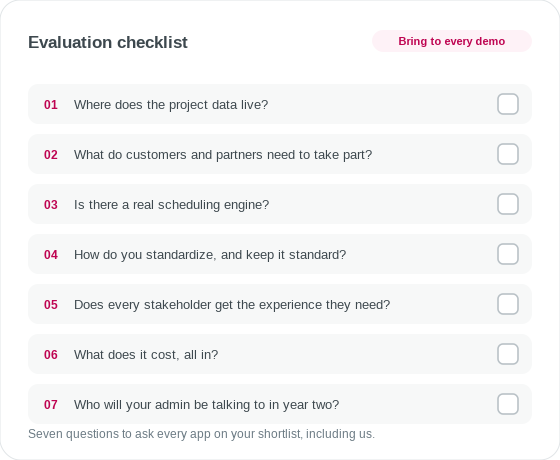
Illustration: an evaluation checklist with seven questions to ask every Salesforce project management app
TEAMS WHO RUN THEIR PROJECTS IN INSPIRE PLANNER
AT A GLANCE

Where the plan lives, and who needs a license

The architecture behind each option, before any feature list.

Inspire Planner
Spreadsheets and desktop tools (Excel, Microsoft Project)
Standalone project tools (such as Smartsheet)
Where the plan lives
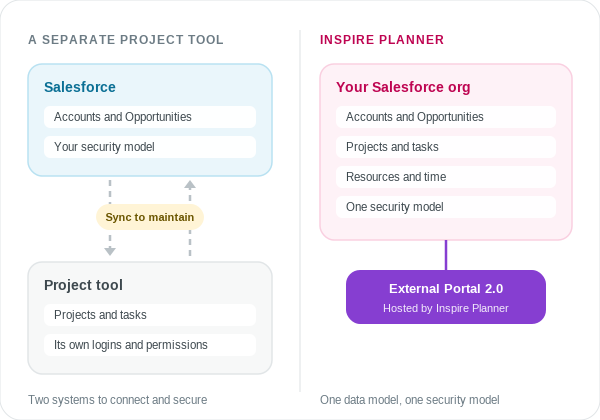
In your Salesforce org, related to the account and opportunity
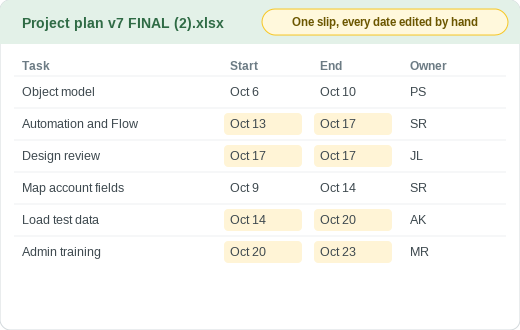
In a file, on a drive or a desktop
In a separate system with its own data
Who needs a license
Team members: a Salesforce Platform Starter license (or higher) and a Contributor license. Executives: Read-Only. External Collaborators: neither.
Excel: anyone with the file. Microsoft Project desktop: a Project license for each person who edits the plan.
Licensed seats in that tool; viewer and guest access depends on the plan.
Connection to the deal
Template Stitching builds the project from the Opportunity Products
Copied by hand
An integration or a manual handoff
What your admin maintains
Inspire Planner, in Salesforce, with your security model
Files and their versions
A second system, its users and the integration

Architecture comparison, reviewed October 2026. Excel, Microsoft Project and Smartsheet are trademarks of their respective owners.

HOW WE WRITE THESE PAGES

Facts, dated, and fair

Comparison content is only useful if you can trust it. These are the rules we hold ourselves to.

Facts, with a date Every comparison says when it was last reviewed. We update it with every Major Release.
We lead with what we do Each page explains Inspire Planner first. When we name another product, we use its public documentation and date it.
We say when we are not the fit Every page lists the cases where something else will serve you better.
Corrections welcome If something here is out of date, tell us and we will fix it.
THE SHORT VERSION

When Inspire Planner fits, and when it does not

A strong fit Your teams run structured projects with phases, dependencies and milestones Your customer and business context already lives in Salesforce Customers, partners or contractors take part in delivery Your PMO needs portfolio visibility without assembled reports
Probably not the fit Your company does not use Salesforce You need a full professional services automation suite with billing and revenue recognition You only need a shared to-do list

Questions about comparing

Do you compare Inspire Planner with other named Salesforce apps?

Not other Salesforce apps. We name spreadsheets, Microsoft Project and standalone tools such as Smartsheet, from their public documentation, with the date we checked. If you are evaluating several Salesforce apps, the evaluation guide gives you the questions to ask each one, including us.

Is Inspire Planner a PSA?

No. Inspire Planner is a Project Execution Platform for structured project delivery inside Salesforce. It includes resource, time and budget management, but it is not a billing or revenue recognition system.

Can we try it before we decide?

Yes. Book a demo and we will show Inspire Planner on a project like yours, then set up a free trial so you can run one of your own projects in it.

Compare it on your own projects.

We will show Inspire Planner on a project like yours, in Salesforce.