
Portfolio Management: Salesforce project portfolio management
Portfolio management with every project side by side
Group projects into portfolios by program, region, customer or business unit, and manage them together.
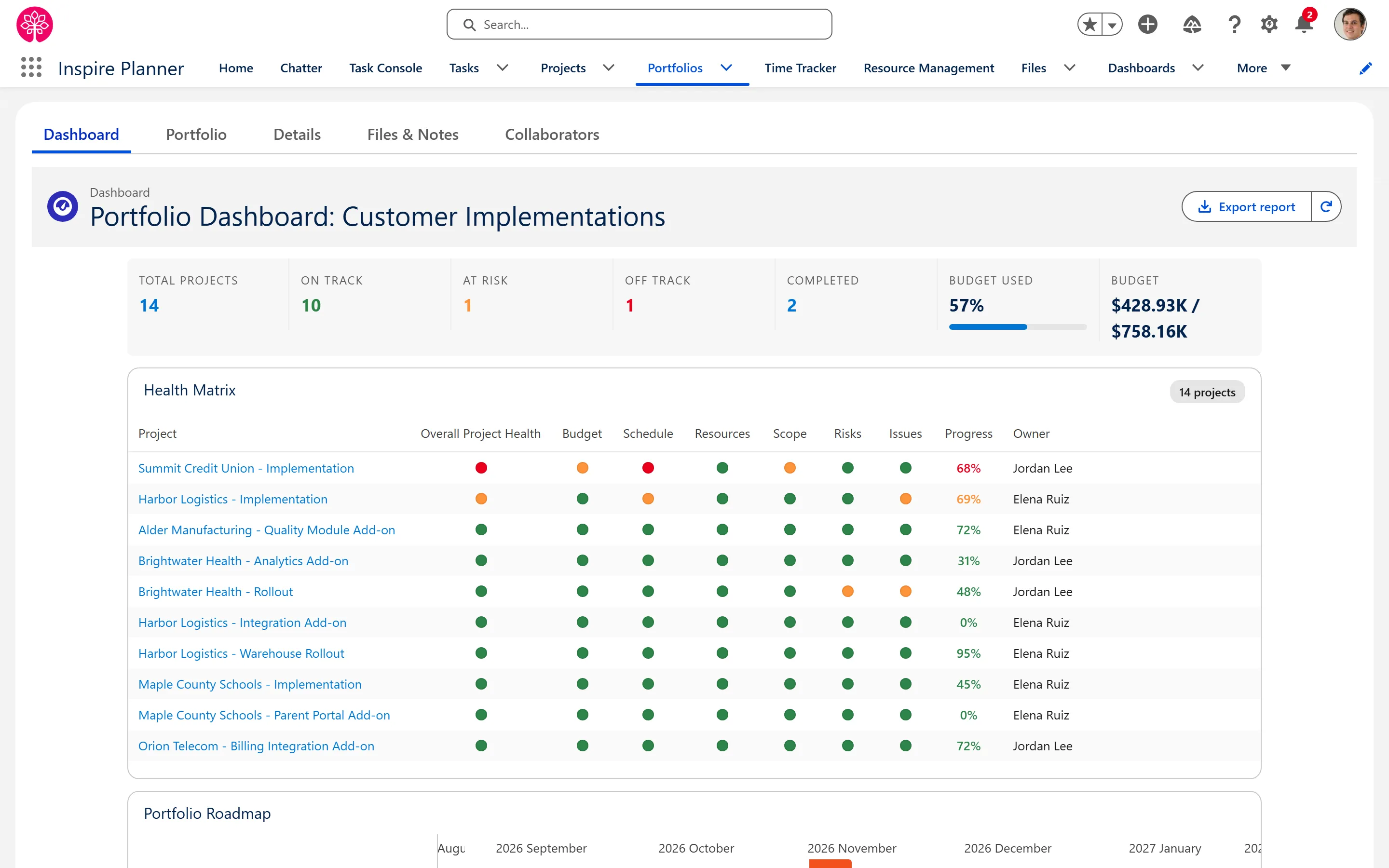
Leadership manages portfolios, not single projects
Decisions about priority, people and money are made across projects. Portfolio Management gives those decisions a home.
Inside Portfolio Management
Five capabilities for grouping and sharing projects. Part of the platform for every customer.
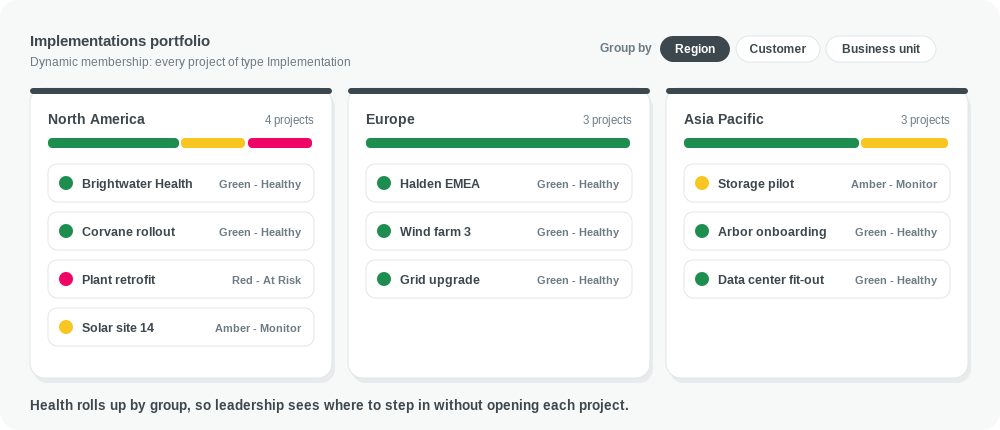
Group projects by region, customer or business unit, and see health roll up
Dynamic Portfolio Membership keeps each portfolio current, and Portfolio Views show where to step in without opening every project.
Who uses Portfolio Management
Each role maps to a license type. See license types and pricing ›
Portfolio questions
What can a portfolio represent?
Whatever you manage together: a program, a region, a customer or a business unit. Each portfolio gets its own Portfolio Homepage.
Do new projects join automatically?
With Dynamic Portfolio Membership, yes: projects that match your criteria join the portfolio. Use Static Portfolio Membership when you want to choose by hand.
Who can see a portfolio?
Portfolio Sharing decides. Share each portfolio with the people who oversee it; executives and sponsors view it on a Read-Only license.
How is Portfolio Management different from the Portfolio Dashboard?
Portfolio Management decides which projects belong together and who sees them: Static and Dynamic Portfolio Membership, the Portfolio Homepage and Portfolio Sharing. The Portfolio Dashboard is the view of those projects: health, roadmap, budget, risks and allocation, side by side.
See your portfolio, grouped your way.
Portfolios by region, customer or business unit, shown in Salesforce.