
Project Gantt: the Salesforce Gantt chart for structured projects
Plan it properly. Keep it realistic.
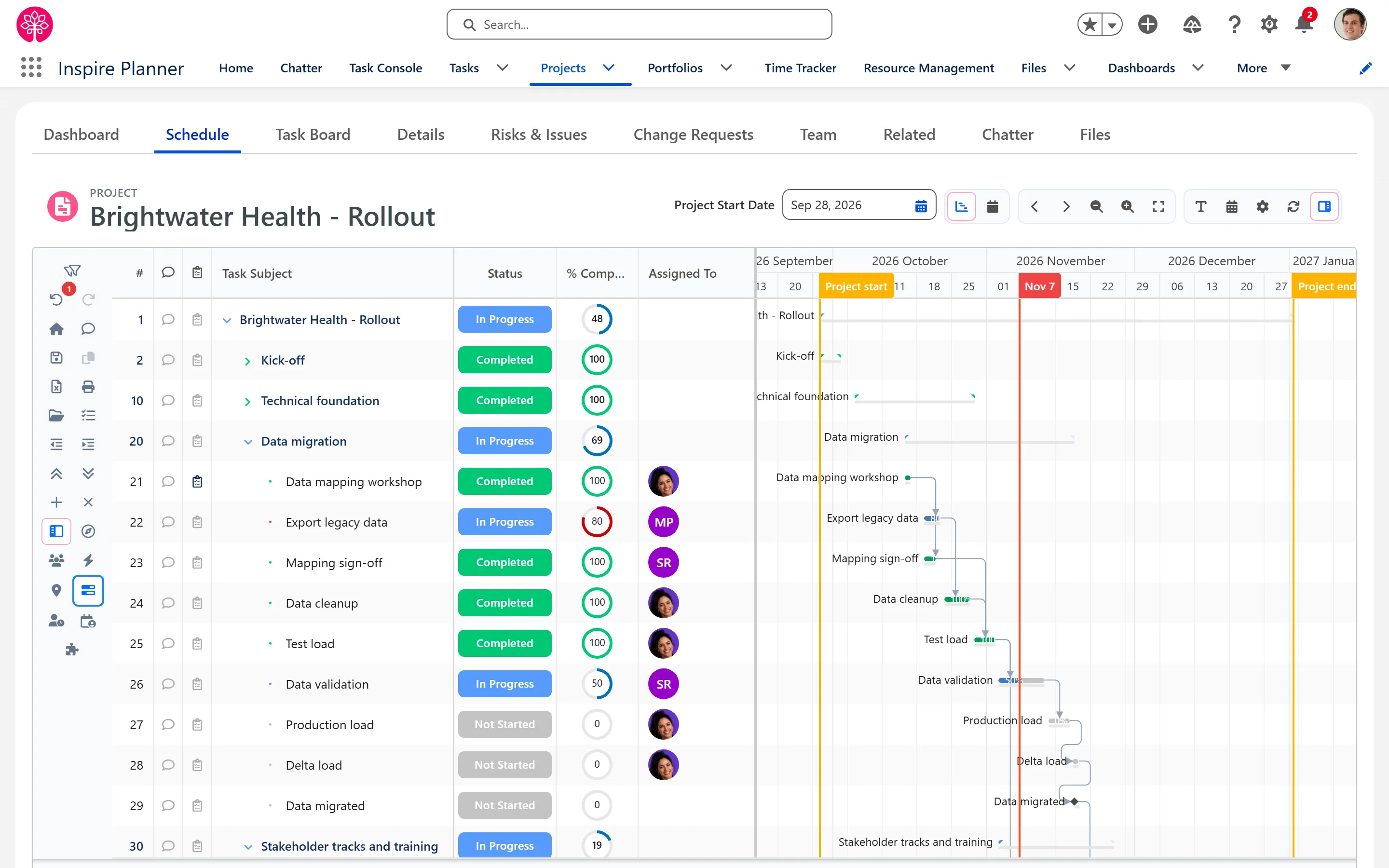
Build and run the plan in the Project Gantt, powered by the Gantt Scheduler. Dependencies, baselines and working days keep dates accurate as work changes.
A plan is only useful if it moves with the work
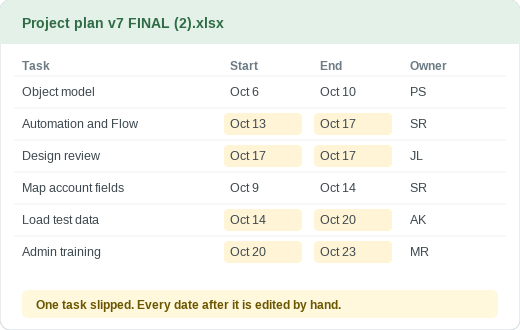
When dates are fields someone updates by hand, the plan falls behind as soon as work moves.
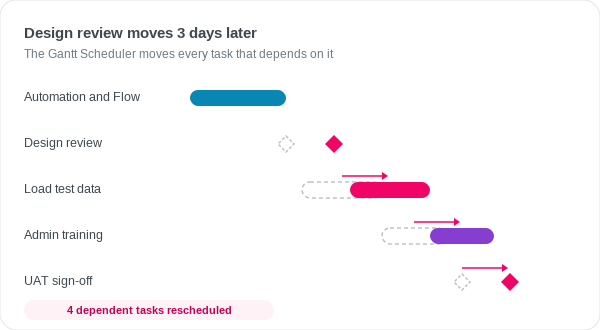
Scheduling that runs in Salesforce
See how far the plan has moved
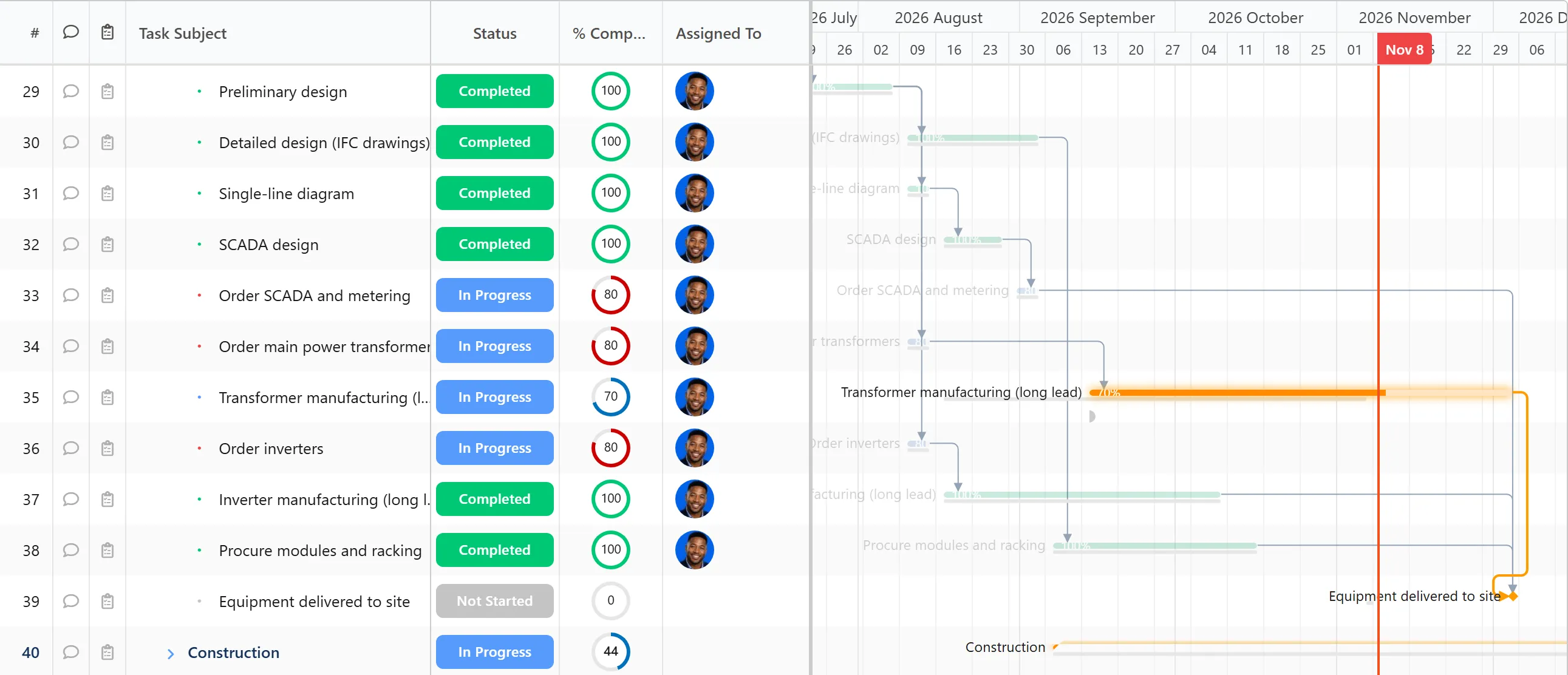
Save the plan you committed to, then compare it with delivery on every task and milestone. The conversation with your sponsor starts from facts.
Baseline bars next to the current plan Slippage visible on milestones Same data on the Project Dashboard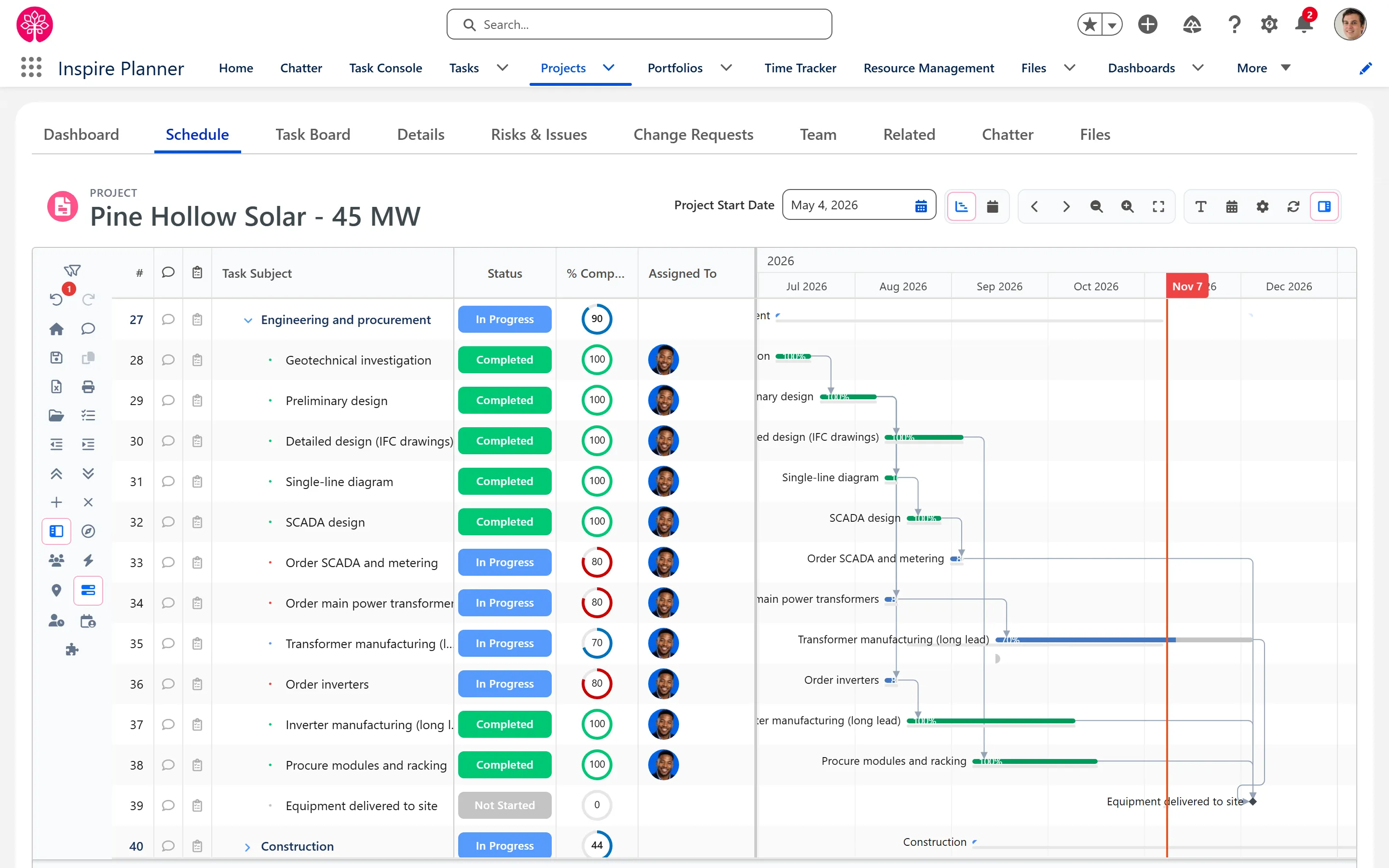
The plan everyone else works from
Team members work it in the Task Console, clients see their part in Inspire Planner - External Portal 2.0, and sponsors read it on the dashboards. Change it here and every view follows.
"Inspire Planner is a … Salesforce project management app with strong Gantt, dependency, and resource management features. It enables structured project execution directly within Salesforce …"
Questions about Project Gantt
What powers the Project Gantt?
The Gantt Scheduler, the scheduling engine every Inspire Planner customer has. All four dependency types, lead and lag time, date constraints, baselines, critical path, calendars and non-working days are included for every customer.
Already on the legacy Visualforce Gantt? How do we move to the Project Gantt?
The Project Gantt replaces the legacy Visualforce Gantt. Our Customer Success team plans the move with you, and your projects stay where they are.
Can team members change the plan?
People on a Contributor license work their own tasks and log time. Changing dates, durations, dependencies or plan structure needs a Standard license.
Can we bring in plans we already have?
Yes. The Project Import Wizard brings an existing plan into Inspire Planner.
Can automation update the schedule?
Advanced Scheduling Automation, coming to Premium+ and now in Private BETA with selected customers, lets Flow, Apex and your automated processes trigger the Gantt Scheduler.
See the Project Gantt on a plan like yours.
A 30-minute discovery call, then a live demo of about an hour: dependencies, baselines and the critical path, in Salesforce.