
Project management for professional services and consulting in Salesforce
Client projects, people and time, next to the client record.
Consultancies, agencies and services teams deliver many client engagements at once, with the same people stretched across them. Inspire Planner gives every engagement a plan, every person a workload, and every hour a home in Salesforce.
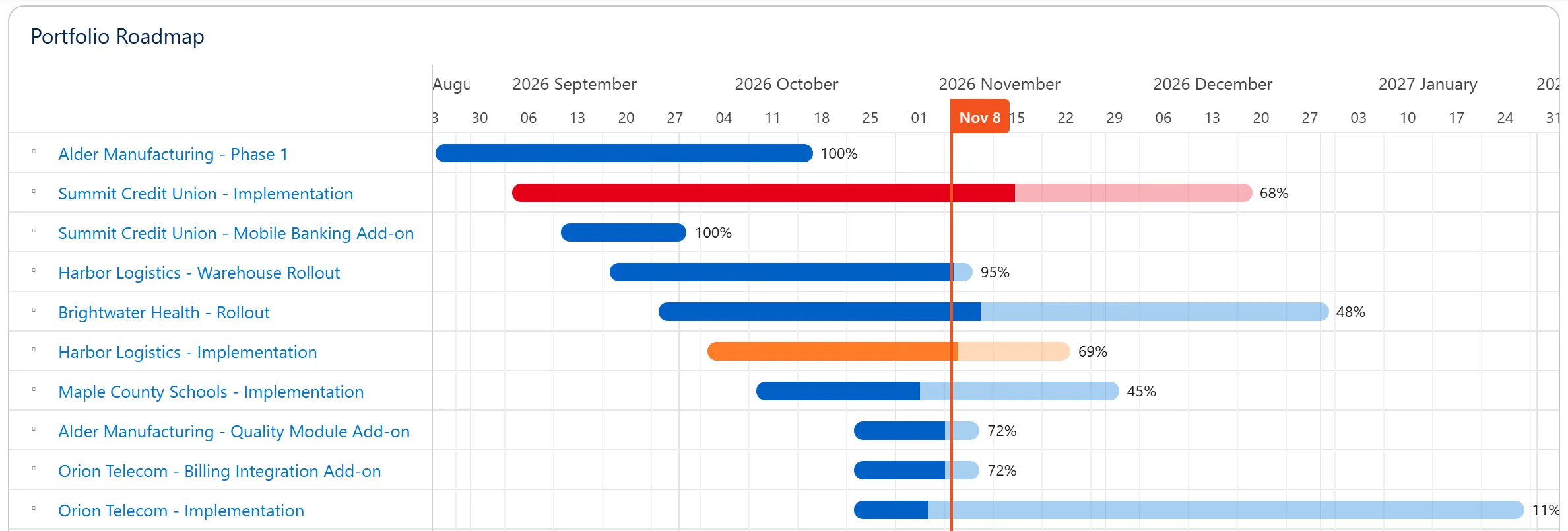
From signed SOW to final deliverable
How a fixed-scope engagement usually runs, from signature to sign-off. Adjust the phases to your methodology.
- 1. Sold and scopedThe SOW is signed and the engagement is created from the Opportunity.
- 2. Plan and staffTemplate applied, roles assigned, capacity checked.
- 3. DeliverMilestones and deliverables tracked with the client.
- 4. Track timeHours logged against tasks and milestones.
- 5. Close and reportUtilization and delivery reviewed for the next engagement.
See who has room before you say yes to the next engagement
Resource Management shows each consultant’s allocation across client engagements, week by week. It is visibility for delivery leads, not billing.
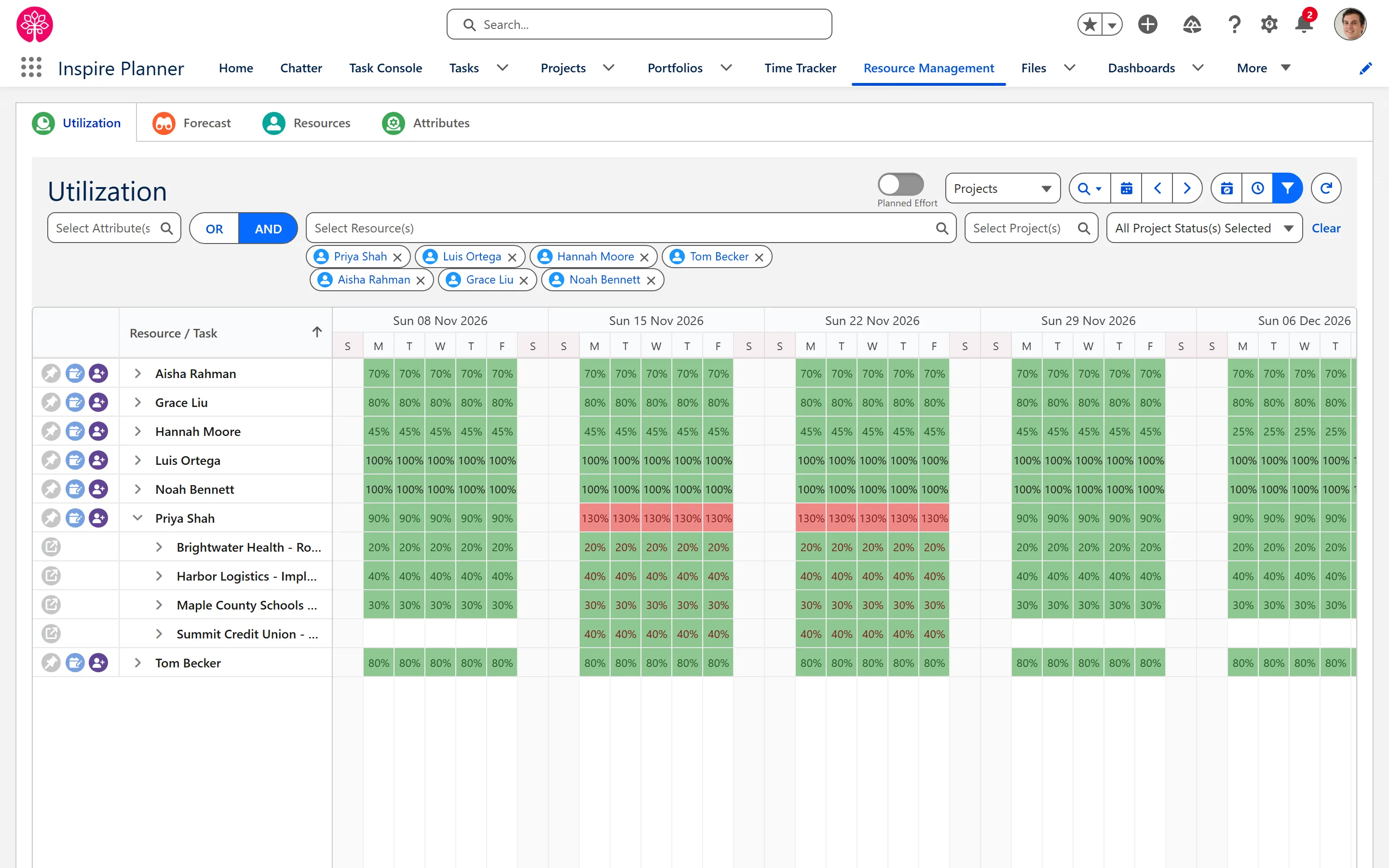
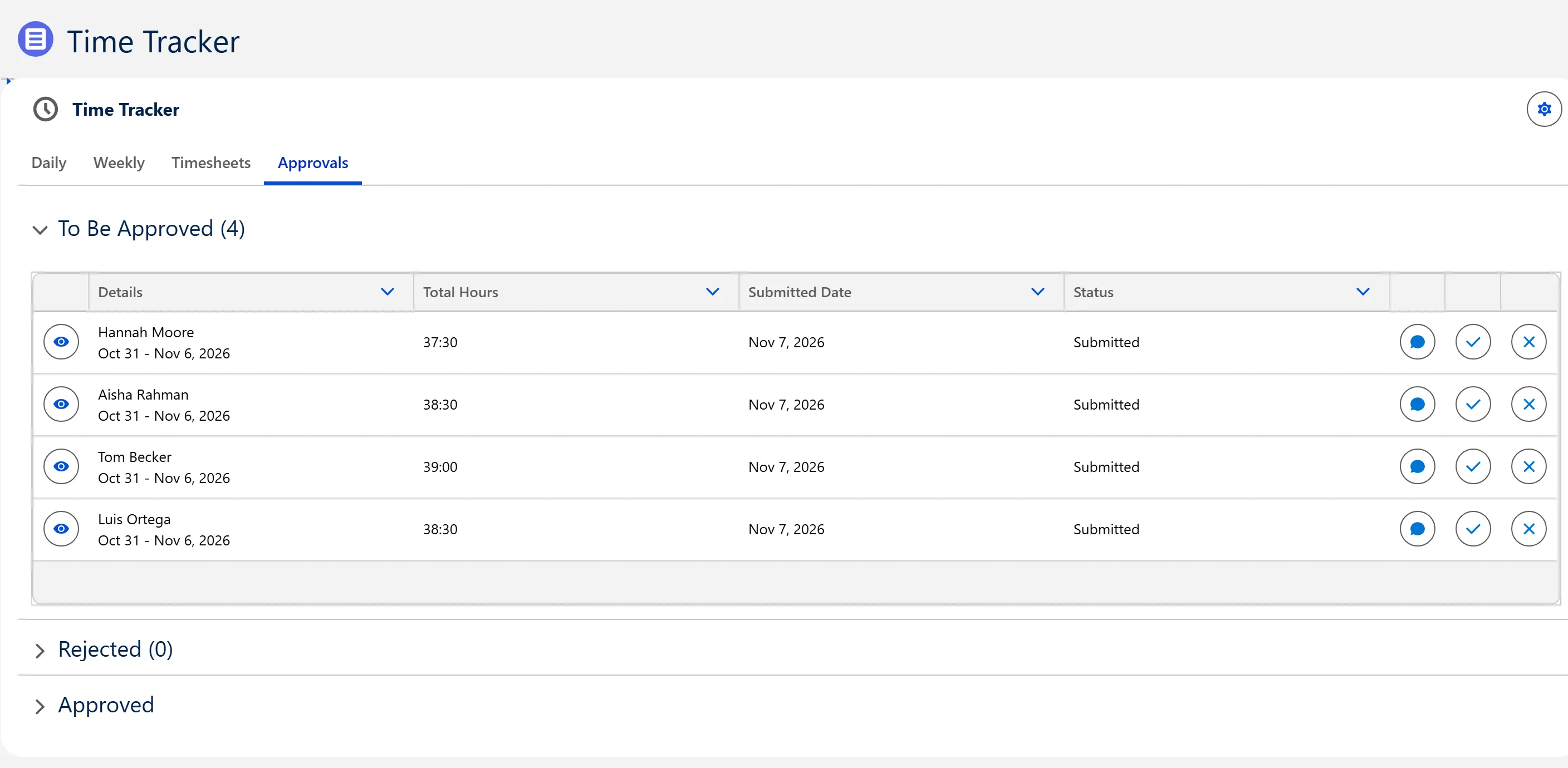
Engagements, people and time in one place
Consultants work their tasks in the Task Console, and their time and capacity roll up for engagement managers.
A client engagement template
A simplified structure for a fixed-scope engagement.
"Inspire Planner has been an invaluable tool for our consulting business. I would recommend it to any business owner who needs a scalable solution that offers flexibility along the way."
Where professional services & consulting teams start
The Product Areas engagement managers turn on first, and the question each one answers.
Questions from professional services & consulting teams
Is Inspire Planner a PSA?
No. It runs projects, resources and time in Salesforce. Billing and revenue recognition stay in your accounting system.
Can we track utilization?
Yes. Resource Management shows allocation and utilization, and logged time feeds your reports.
Can clients approve deliverables?
Yes, as a task. Share the approval task in External Portal and the client marks it complete.
Can we separate billable and non-billable time?
Yes. Tasks carry a billable or non-billable category, so logged time reports cleanly.
Who approves consultant timesheets?
You decide. Engagement managers or resource managers can approve and lock them.
See every engagement in one plan.
Bring two or three live engagements. We’ll show them on a plan like yours, in Salesforce, with the client approvals in External Portal.