
Dashboards & Reporting: Salesforce project reporting from live project data
Project reporting that is ready before the meeting
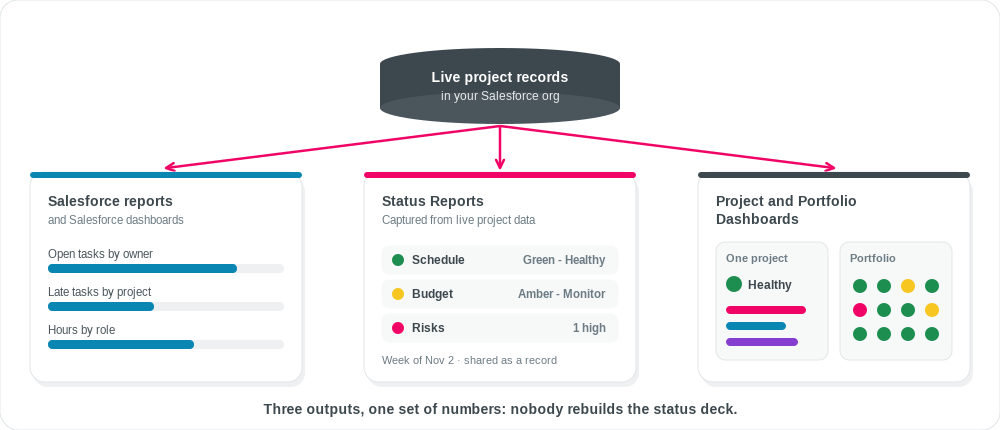
Status Reports, Salesforce reports and the Project and Portfolio Dashboards read the same live project records, so every number matches.
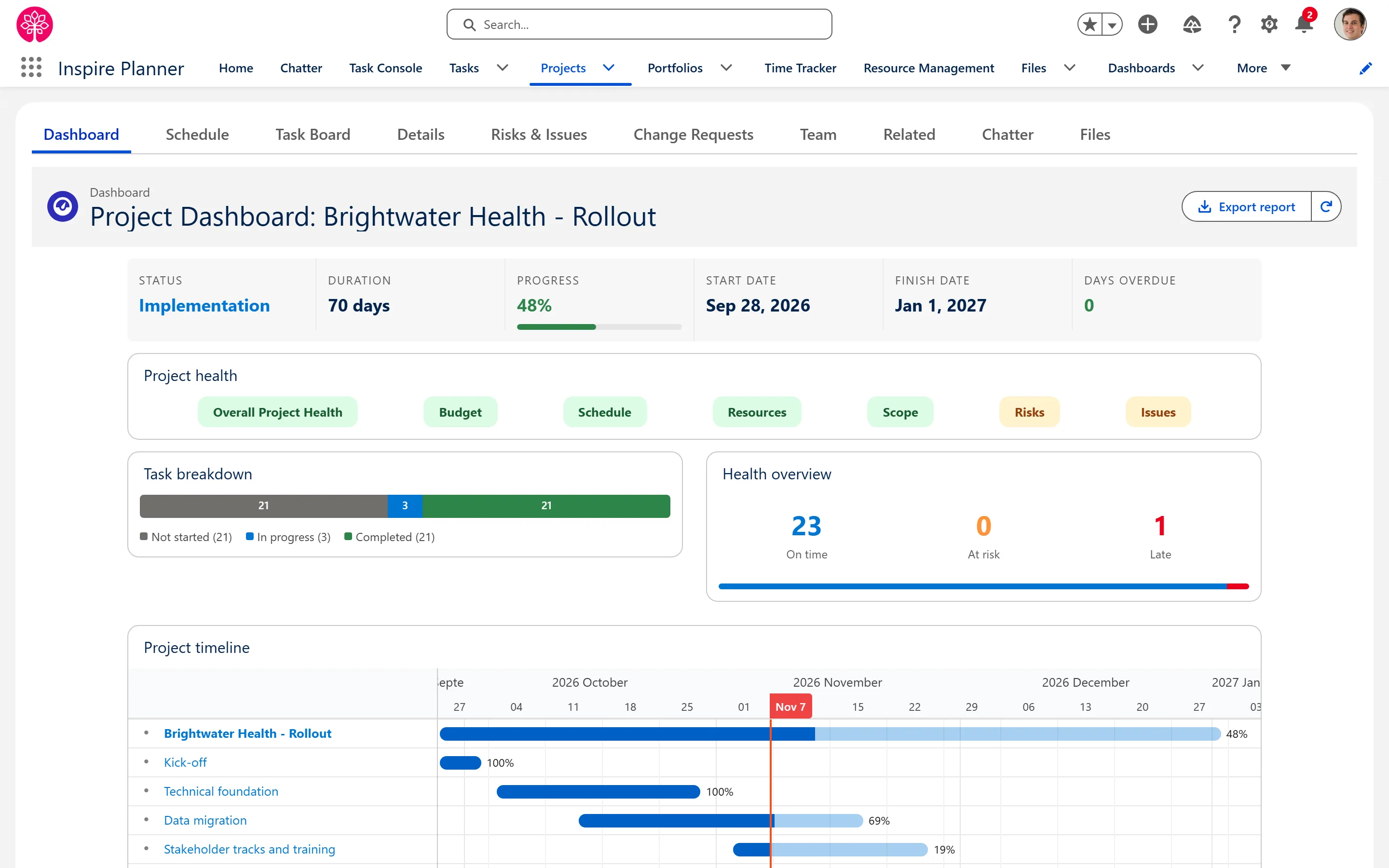
Visibility that comes from the work itself
If the plan is current, the status report should already exist. Dashboards & Reporting turns the data your team updates into the views leadership needs.
Three outputs from the same project records
Part of the platform for every customer. Every output reads the records your team already keeps current, so the numbers match in every meeting.
Status Reports
Status captured from live project data: schedule, budget and risks as they stand, saved as a record for the people who need it.Salesforce reports and dashboards
Standard Salesforce reporting on project records, next to the Opportunity and Account reports your team already uses.Project and Portfolio Dashboards
The Project Dashboard for one project, and the Portfolio Dashboard across many. Read-Only users see both. Project Dashboard › Portfolio Dashboard ›Who uses Dashboards & Reporting
Each role maps to a license type. See license types and pricing ›
"Inspire Planner has significantly improved our project organization, visibility, accountability, and reporting, giving leadership better insight into project progress and outcomes."
Reporting questions
Can we keep using Salesforce reports?
Yes. Project data is reportable with standard Salesforce reports and dashboards, alongside your Opportunity and Account reporting.
Do executives need a Standard license to see dashboards?
No. A Read-Only license gives visibility through the Project and Portfolio Dashboards without changing plans.
Where do Status Reports come from?
They are captured from live project data, so the status a sponsor reads matches the schedule, risks and budget on the project.
Can dashboards be configured or exported?
Yes. Your admin configures the Project Dashboard and the Portfolio Dashboard, and both can be exported.
See this week's status, built from live data.
Status Reports, Salesforce reports and both dashboards, on a project like yours.