
Salesforce project management for every project stakeholder
Project execution,
built for Salesforce.
Salesforce-native project management for project managers, teams, PMOs, executives and your clients - all working from the same project data.












"…we did not want to completely overhaul our existing infrastructure to cope with an external tool. … We were able to quickly and easily translate deep process and project knowledge from our operations team into simple templating that has set us up for success as we move forward."
From closed deal to delivered project - and better every time
Your business already runs in Salesforce. With Inspire Planner, project delivery runs there too: a project starts the moment a deal closes, every stakeholder works the same plan, and what you learn goes straight back into the template for the next one.
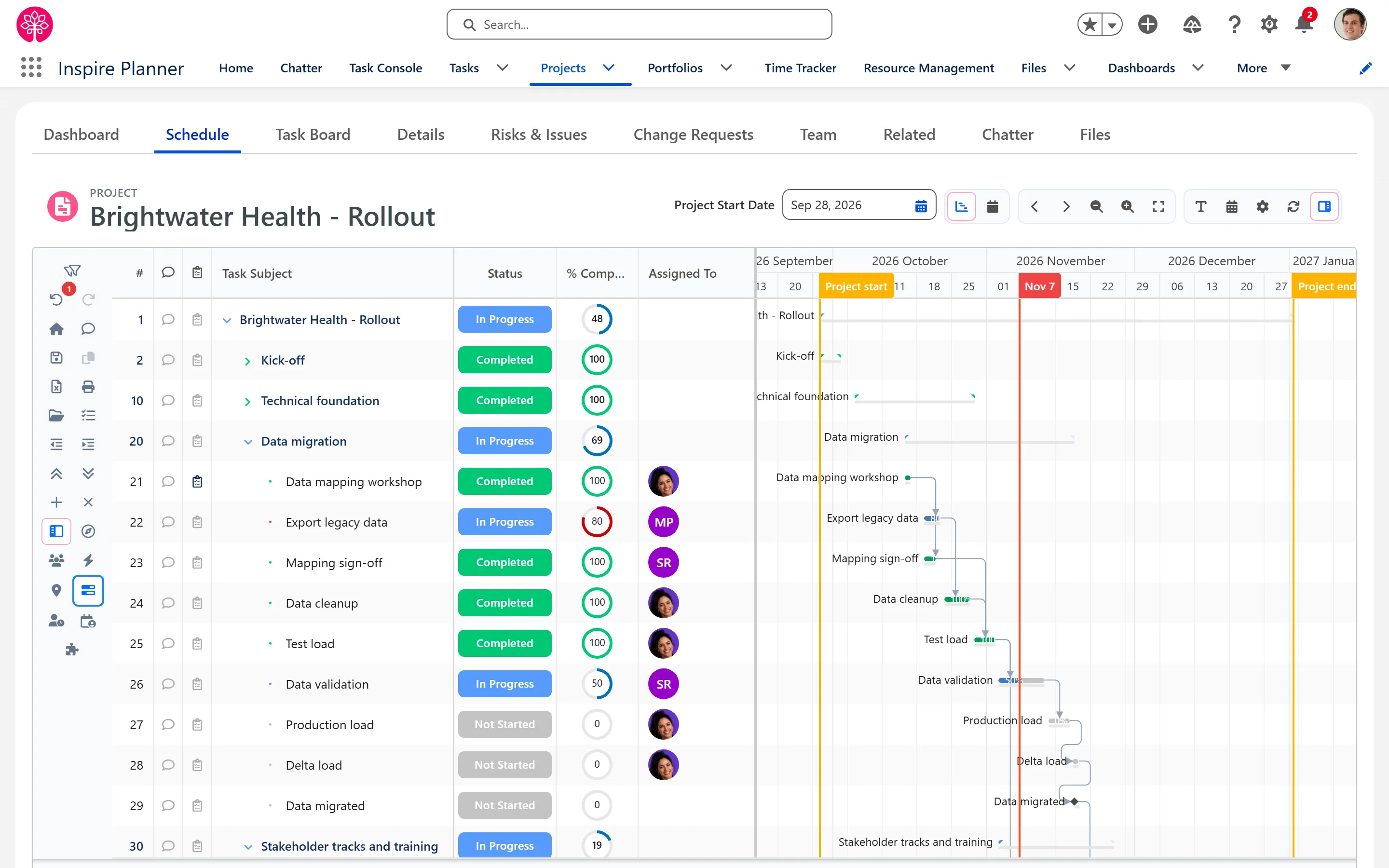
Realistic plans in a Salesforce Gantt chart that keeps up as work changes
The Project Gantt, powered by the Gantt Scheduler, gives project managers dependencies, milestones, assignments and control of every timeline - right beside the customer record.
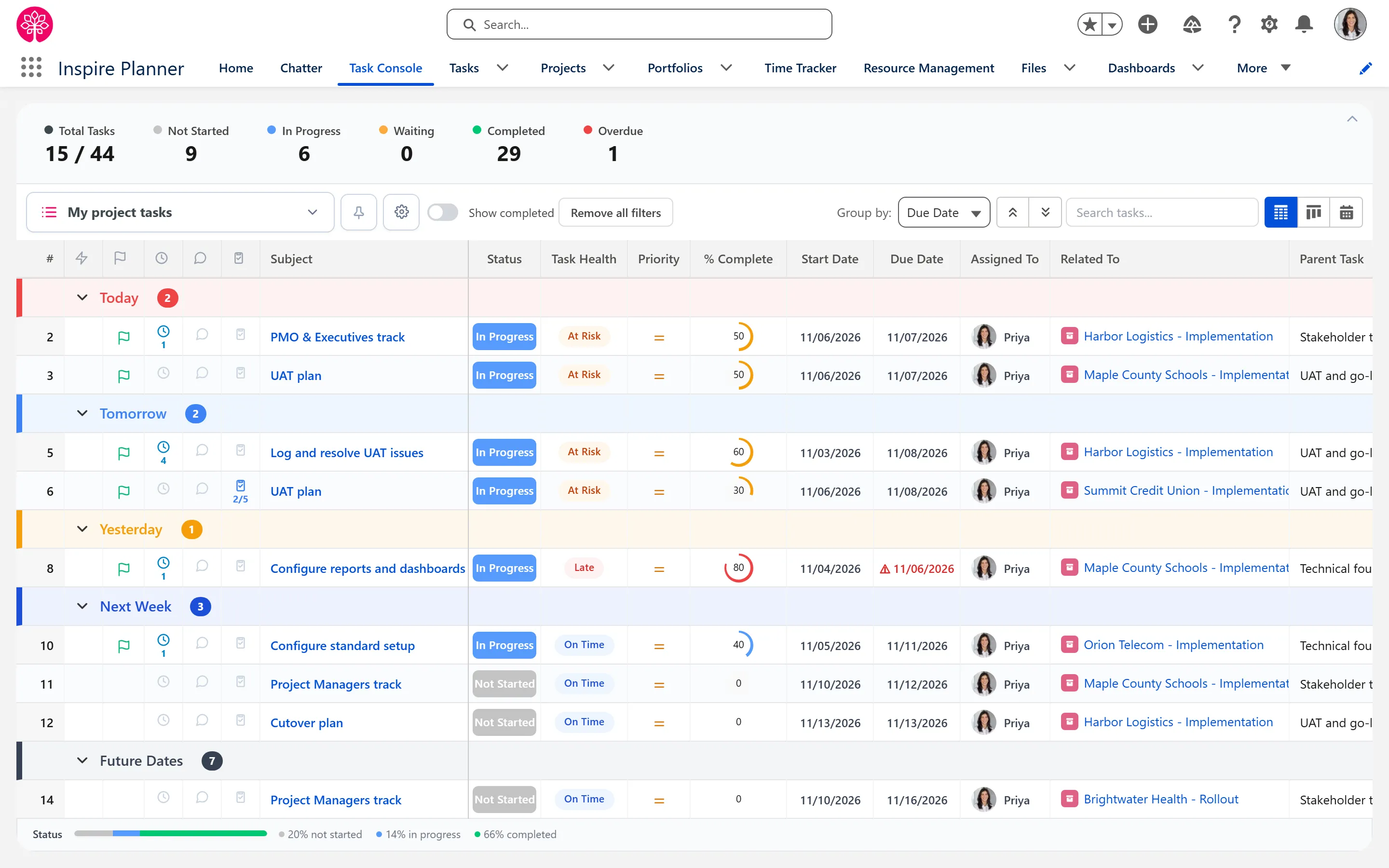
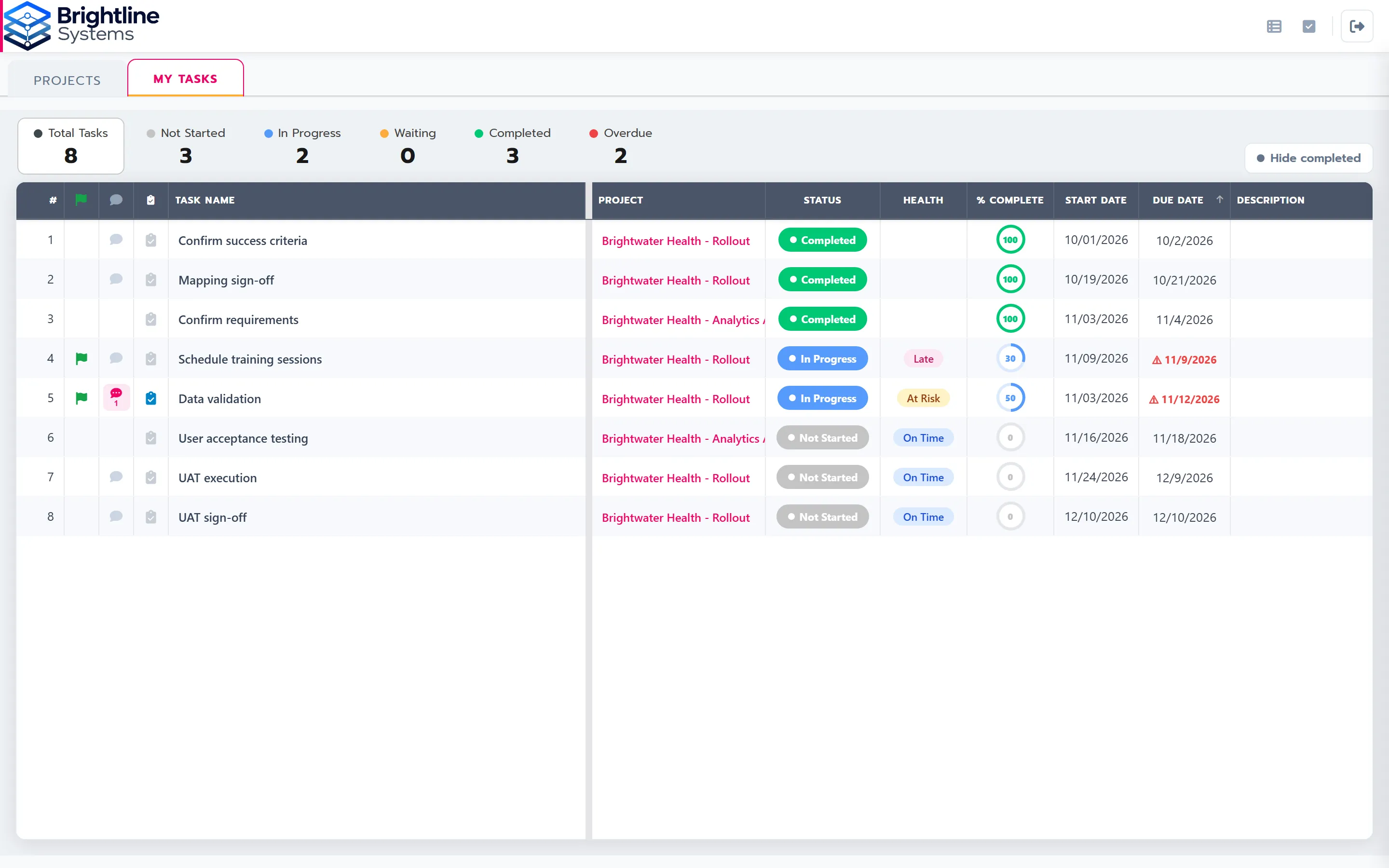
Your work, across every project.
Task Console gives team members a practical workspace to update status, work through checklists, log time and collaborate in Grid, Kanban and Calendar views, without opening the Project Gantt.
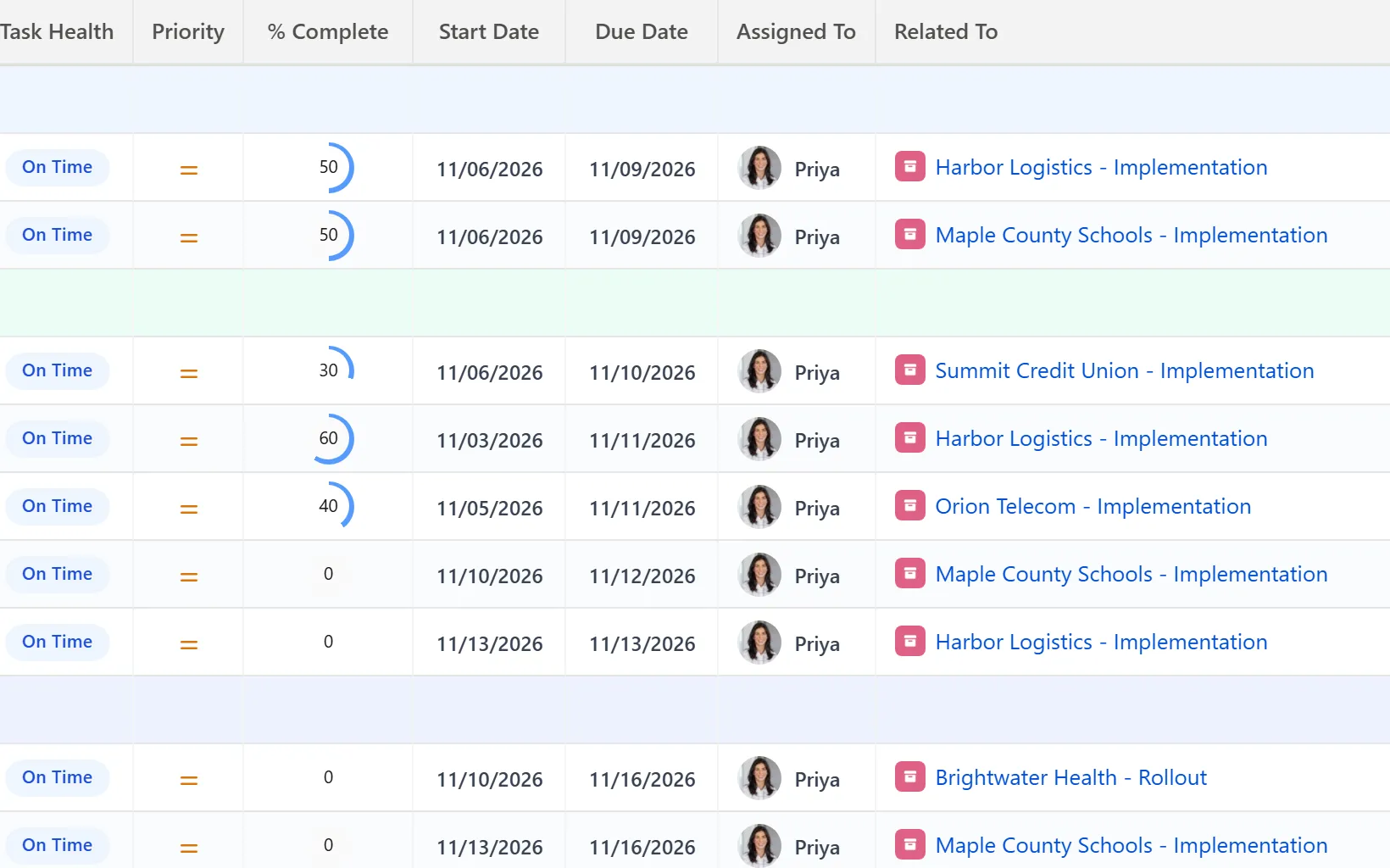
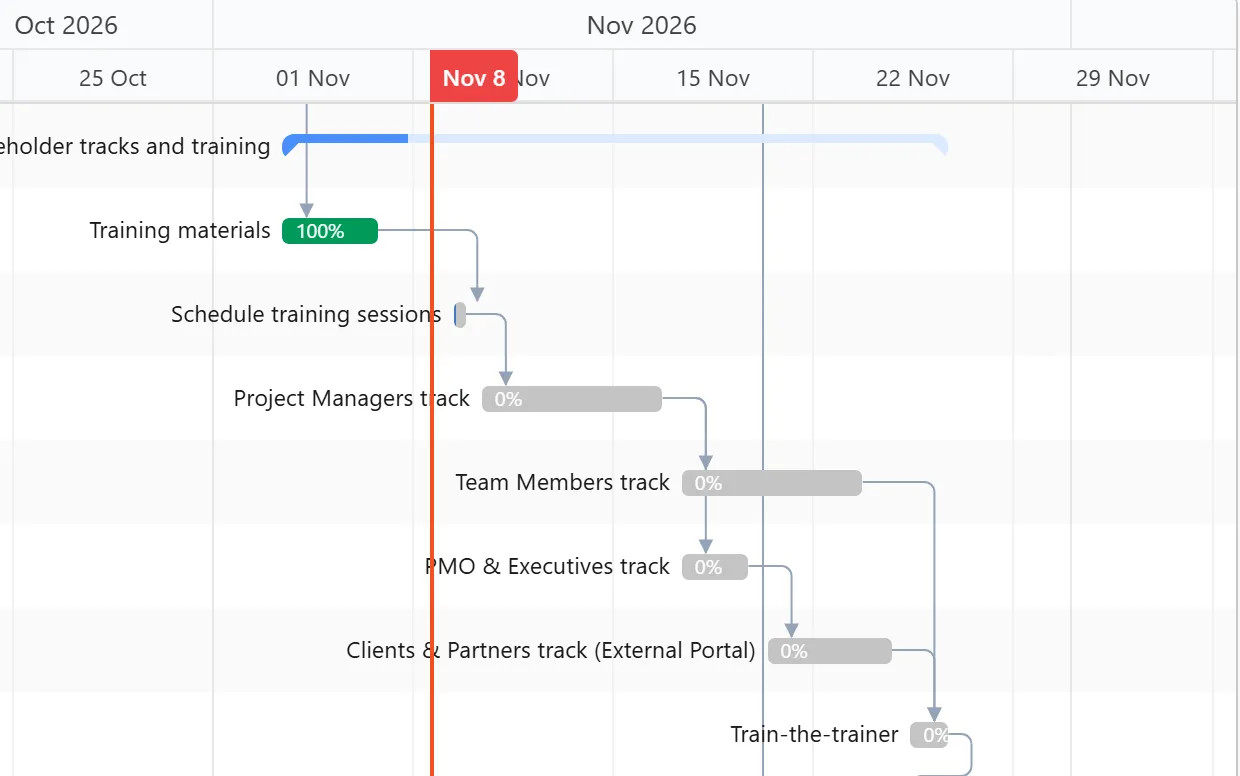
Keep customers and partners connected to delivery - without another Salesforce license.
With Inspire Planner - External Portal 2.0, your client doesn't have to learn your project structure. They open External Portal, see their work, and update it - no Experience Cloud site to build, no Salesforce license for every client contact. Included in the platform and hosted by Inspire Planner.
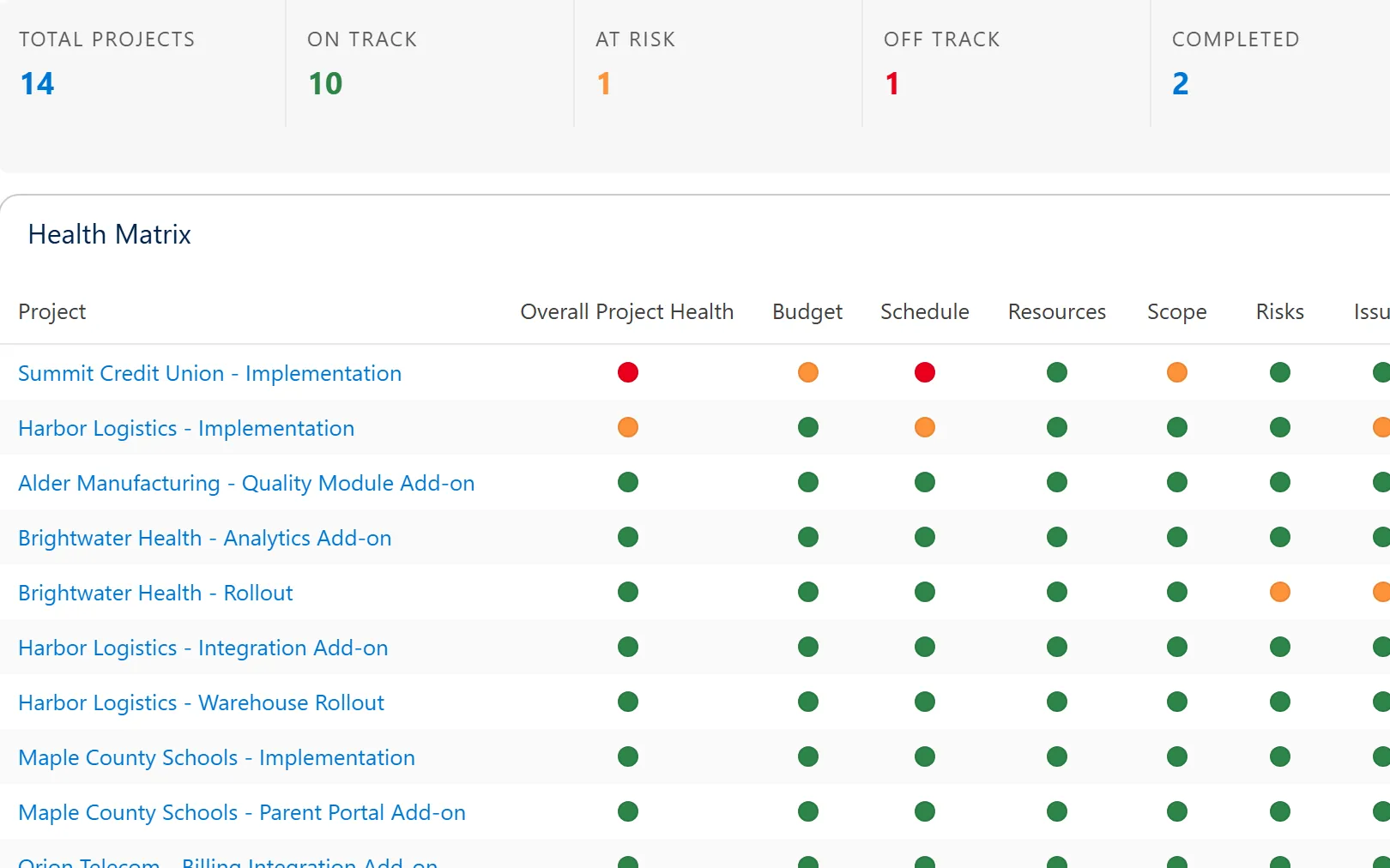
Open the project. The status report is already there.
Project Dashboard gives project managers and sponsors live health, progress and risk. Portfolio Dashboard gives PMOs and leadership every project in the portfolio - and one view of what needs attention.
Every project makes the next one better
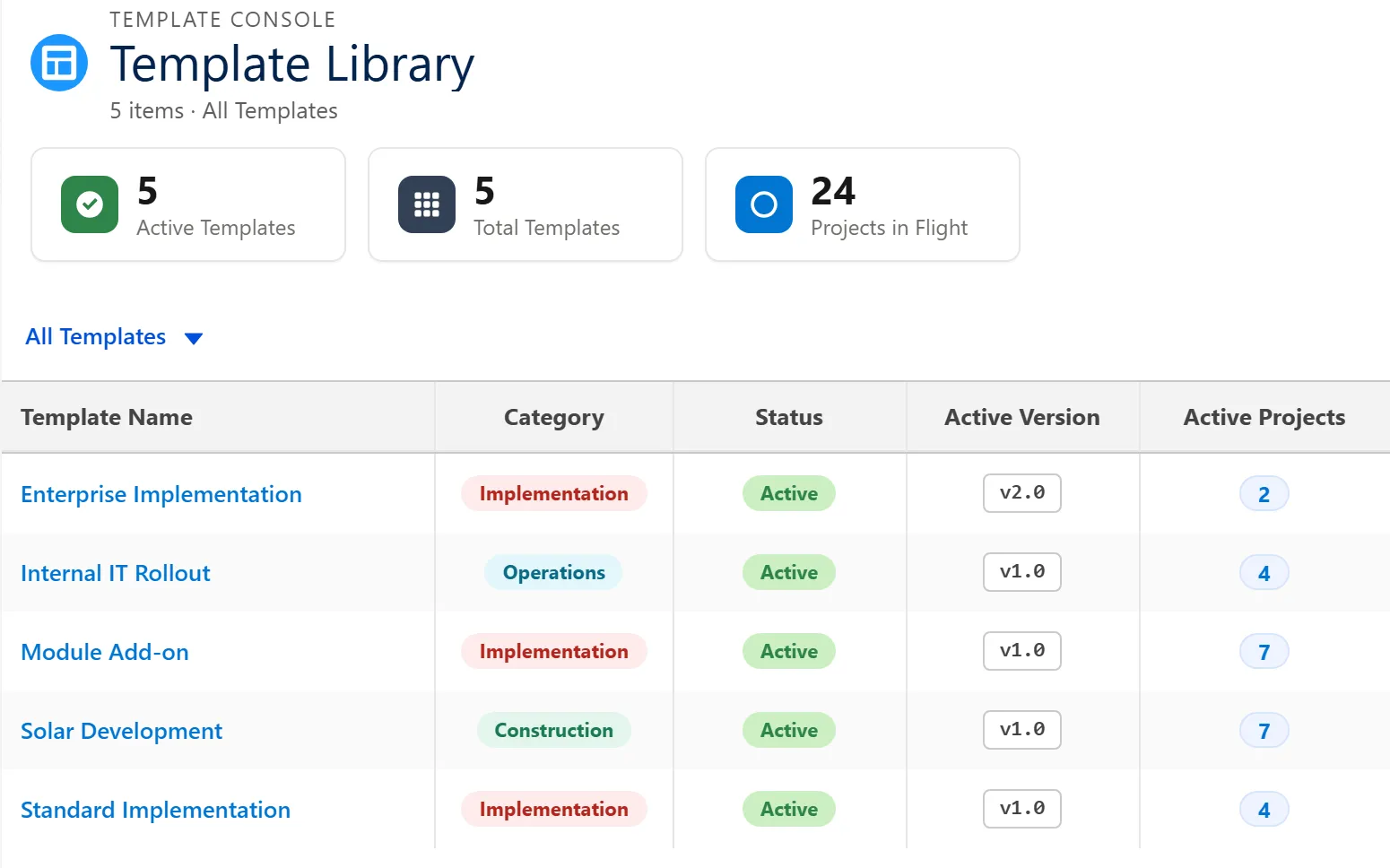
Project templates standardize how every project starts. Build them once, create projects from the Products on an Opportunity with Template Stitching, and manage your template library and versions in Template Console - so what you learn shapes the next project.
Everything a project needs - built in
Twelve Product Areas, one platform, one set of project data. Every area is included, and each one has a home in your team's day.
Project delivery, connected to Salesforce
No second system to keep in sync. Projects sit next to the accounts, opportunities and customers they belong to.
"If your org is using Salesforce … and needs a well-integrated PM tool, Inspire Planner is the best option we’ve seen."
A PMO that outgrew its onboarding tool, now finishing projects faster
Nordis Technologies ran projects in a tool built for customer onboarding. Moving to Inspire Planner put planning, time tracking and portfolio reporting next to its Salesforce data, and gave the PMO KPIs it couldn't capture before.
Simple platform pricing, licensed by role
One Inspire Planner platform with no feature editions. Each person gets the license that matches what they do in the plan.
Standard
$35 per user / month For project managers, project leads, PMO and admins who build and change the plan.Contributor
$26 per user / month For team members and contributors who work the plan.Read-Only
$18 per user / month For executives and sponsors who need visibility.External Collaborators
Customers, partners and contractors - no license needed.Billed annually, in USD. Team members need a Salesforce Platform Starter license (or higher) and a Contributor license.
Questions about Inspire Planner
What is Inspire Planner?
Inspire Planner is a Salesforce-native Project Execution Platform, on the AppExchange since 2015. It brings project planning, task execution, resource management, time management, portfolio management, dashboards and external collaboration together, connected to your Salesforce data.
What's new in Inspire Planner 2.0?
Inspire Planner 2.0 adds Task Console for team members, Project Dashboard and Portfolio Dashboard for live visibility, and Inspire Planner - External Portal 2.0 for customers and partners, alongside the Project Gantt and templates. See what's new ›
Who uses Inspire Planner day to day?
Project managers build the plan in the Project Gantt. Team members work it in Task Console. PMOs and executives follow it in Project Dashboard and Portfolio Dashboard. Customers and partners take part through External Portal, without a Salesforce license.
How is External Portal different from Experience Cloud?
They're separate. Inspire Planner - External Portal 2.0 is part of the platform and hosted by Inspire Planner. Experience Cloud is a separate license for customers who need Inspire Planner inside their own Salesforce Experience Cloud site. It requires Premium+.
How long does onboarding take?
Standard Onboarding is a structured 6-8 week plan, with one named Onboarding Manager, up to three stakeholder tracks and up to six hours of live training.
I'm an existing customer. What changes for me?
Your contract, pricing and terms stay as they are, and 2.0 arrives in the managed package you already have. What 2.0 means for existing customers ›
Can I try Inspire Planner first?
Yes. Install a 30-day free trial from AppExchange, or book a demo and we'll walk you through it in Salesforce.
See every project, every stakeholder, in one place.
Get a personalized walkthrough of Inspire Planner 2.0 in Salesforce.