
Portfolio Dashboard: every project in one Salesforce view
Every project in your portfolio. One view of what needs attention.
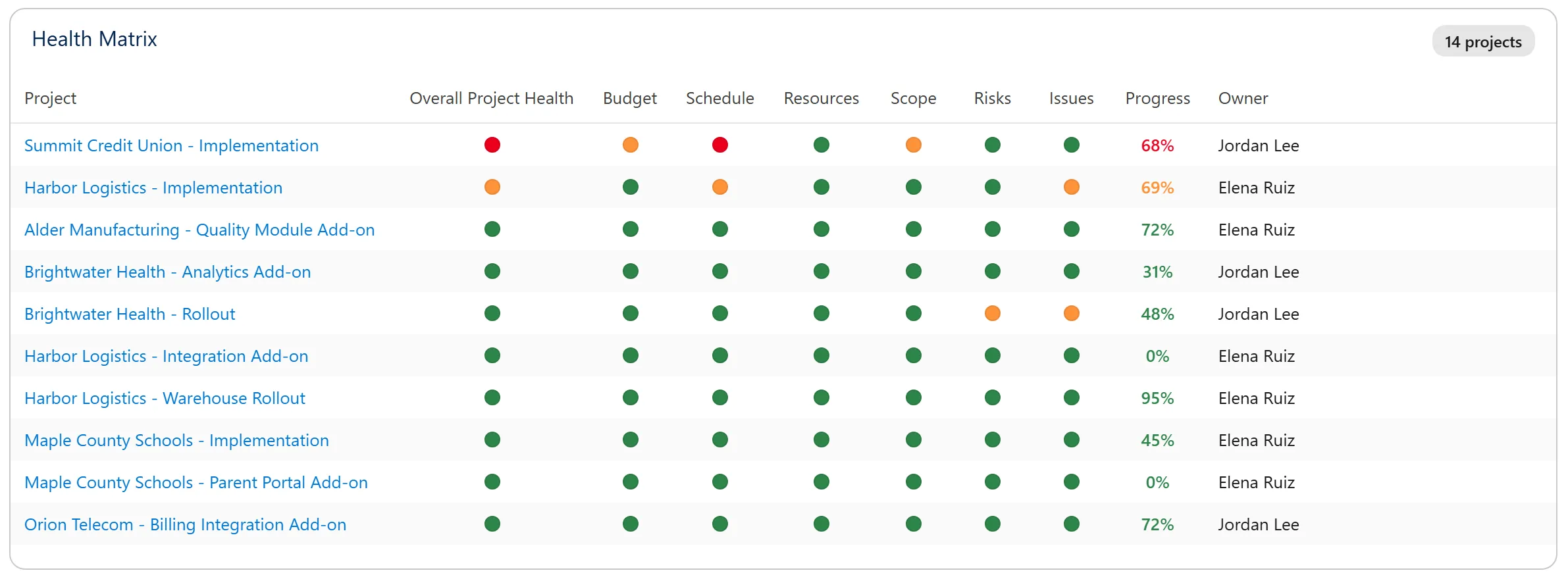
Health, roadmap and milestones, budget and effort, risks and resource allocation across every project, built on Portfolios.
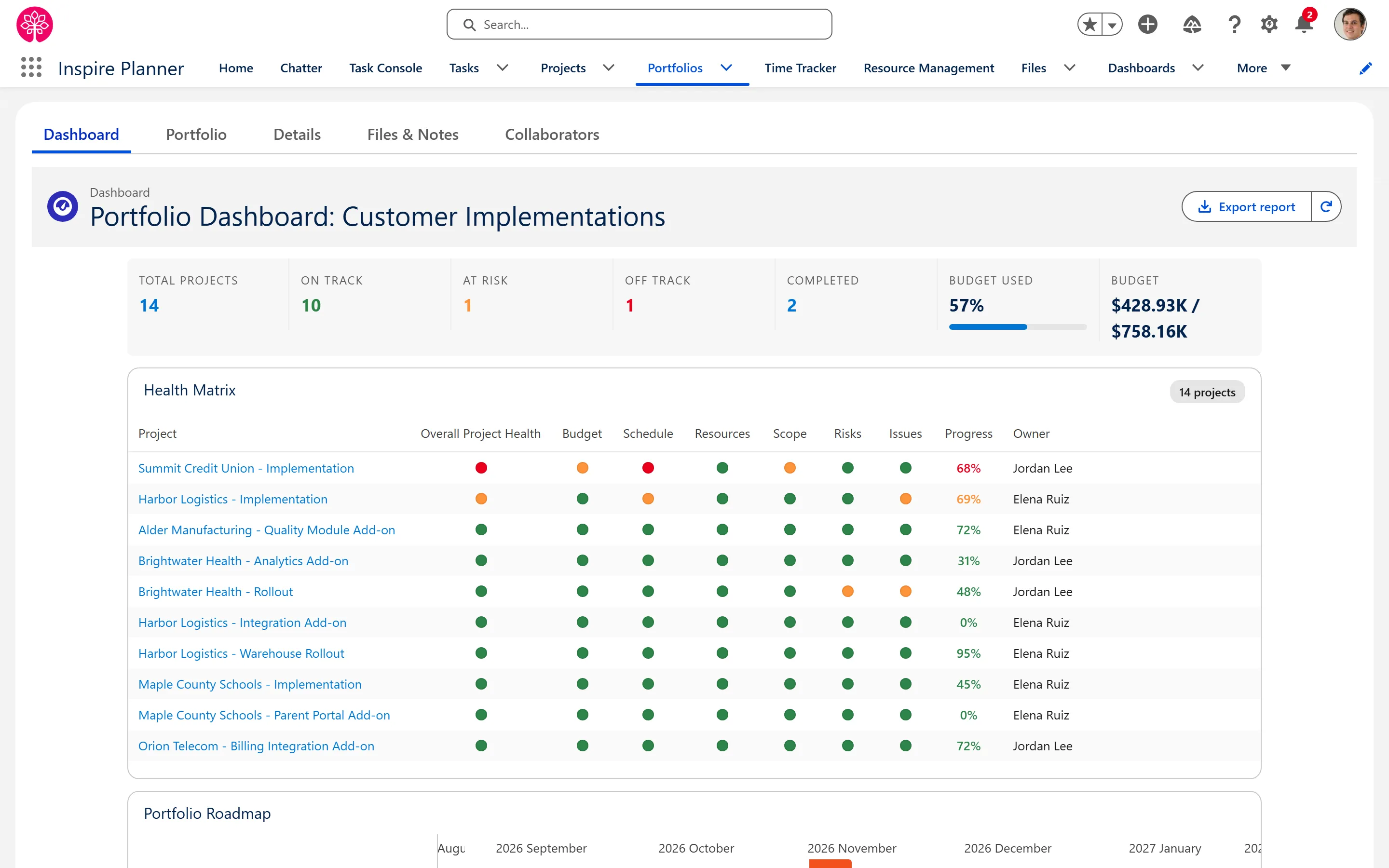
Leadership should not wait for a roll-up
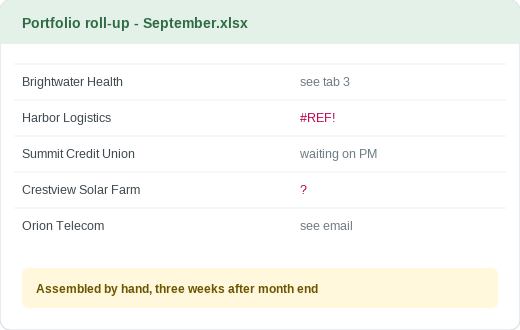
When every project reports separately, the portfolio view is a spreadsheet someone assembles at month end.
"The resource management capabilities are a strong advantage, enabling effective team allocation and planning."
Find the problem, then find the reason
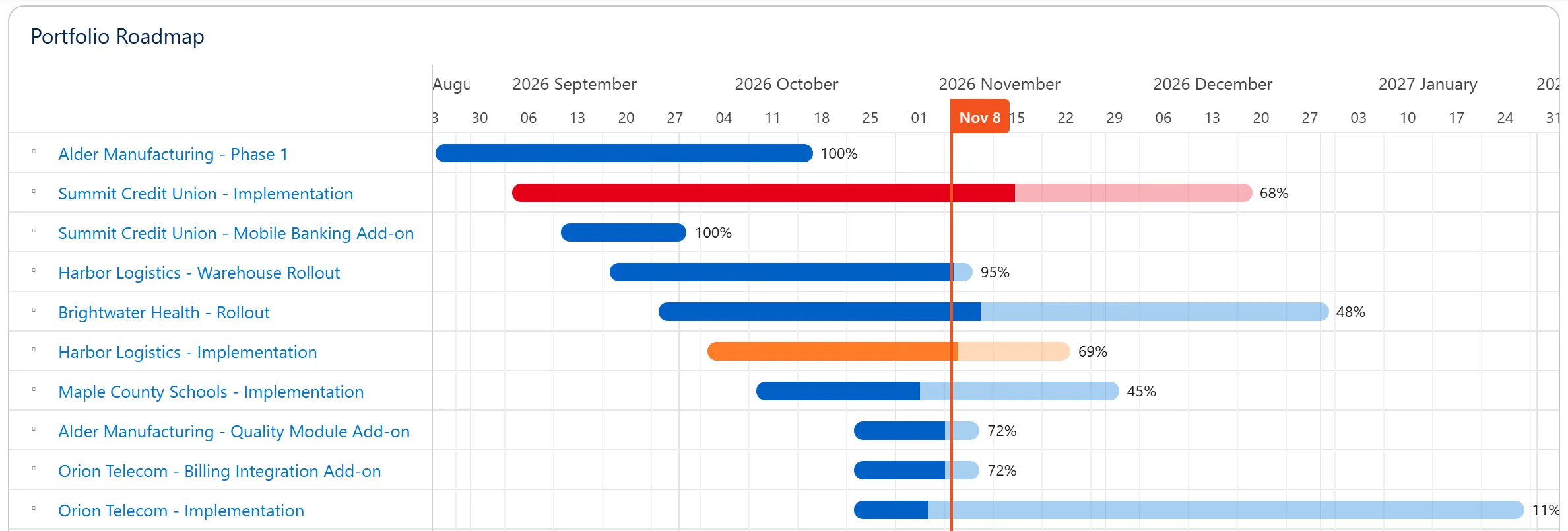
Start with the projects that need attention, open one to see health across scope, schedule, budget, resources, risks and issues, then open the risk behind it.
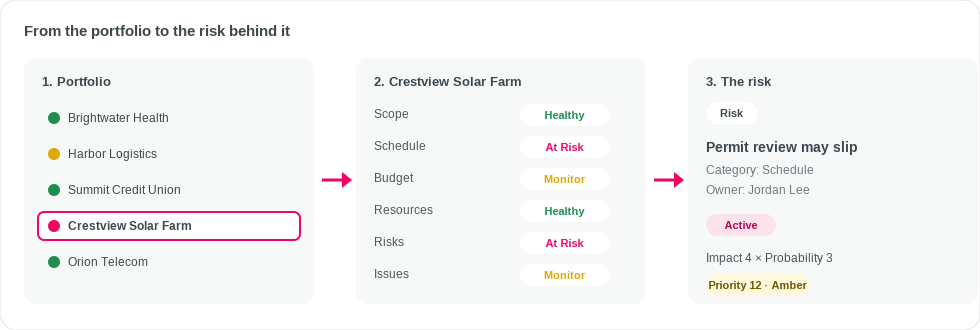
Health, roadmap and risk across the portfolio
See who is working where, across every project
Allocation across every project in the portfolio, from Resource Management, so you can see where people are committed before a plan depends on them.
Allocation by person, across projects From Resource Management, in the same org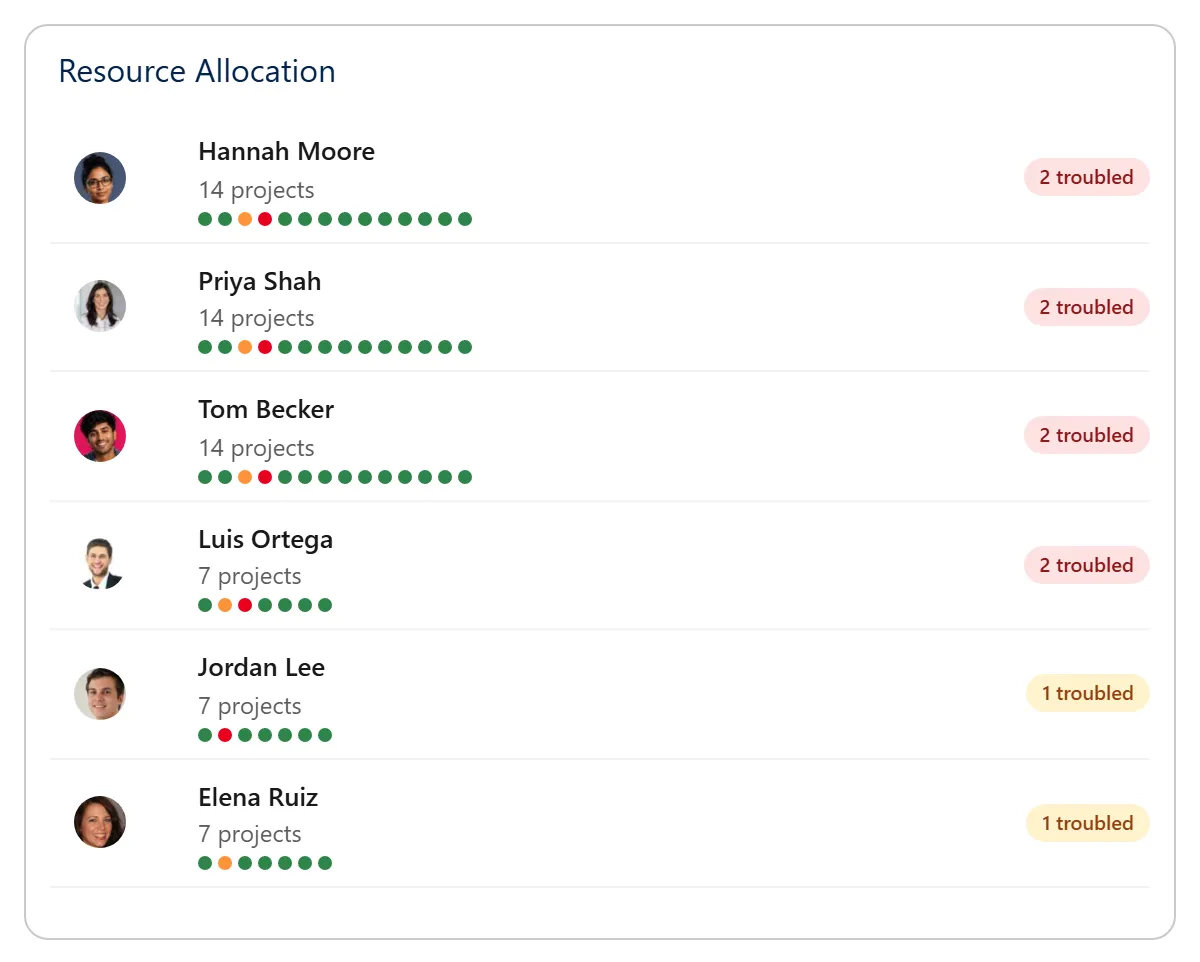
Spot overruns while there is still time to act
Budget health sits next to schedule and risk on every project, so the cost conversation starts early, not at month end.
Budget health on every project Change requests record their cost impact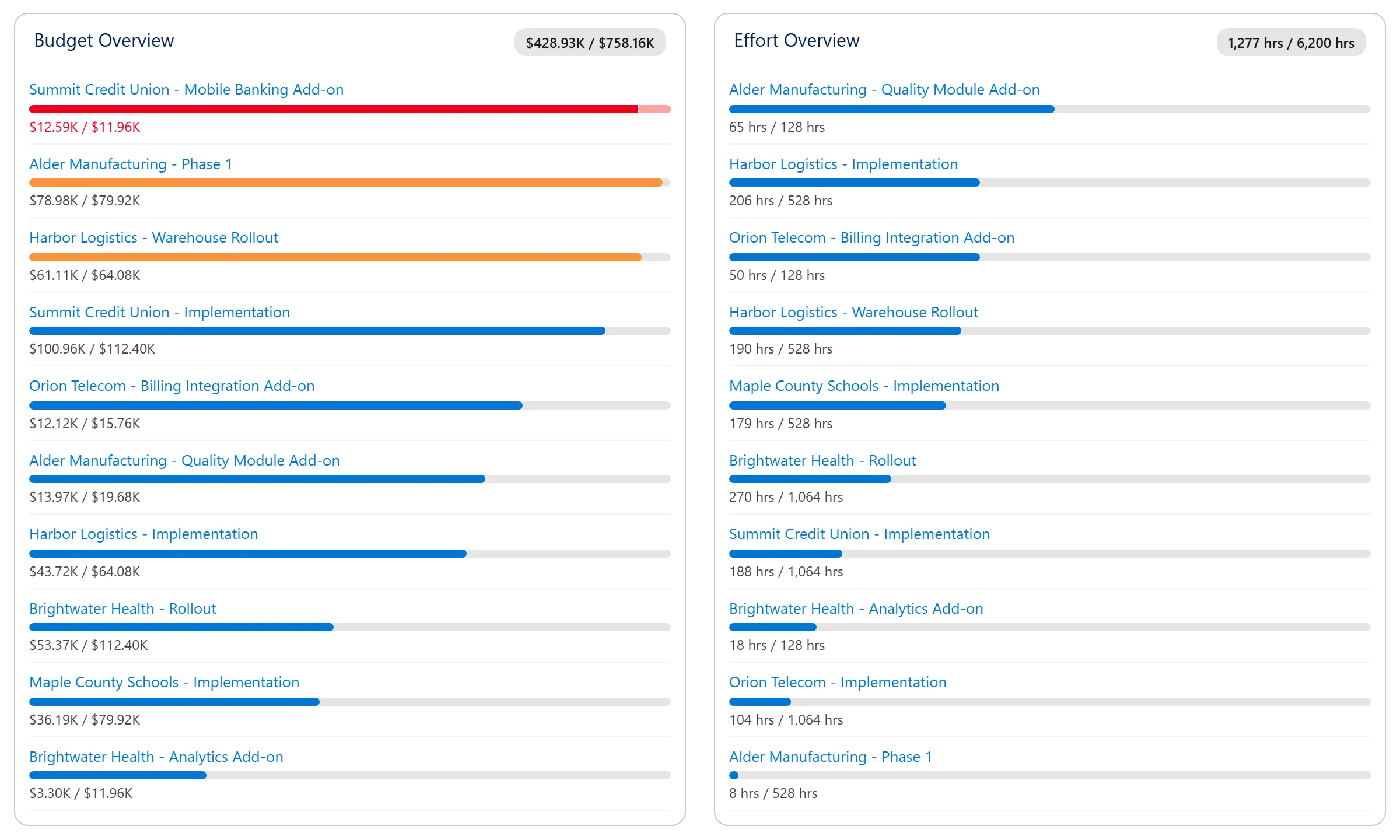
Every project rolls up here
Plans from the Project Gantt, updates from the Task Console and Inspire Planner - External Portal 2.0, and each Project Dashboard’s health feed one portfolio view. It stays current without a month-end build.
Questions about Portfolio Dashboard
What is a Portfolio?
A group of projects you manage together: a program, a region, a customer or a business unit. Membership can be static or dynamic.
Does it show resource allocation?
Yes. Allocation across the portfolio comes from Resource Management, so you can see who is committed where without leaving the dashboard.
Can executives see it without a Standard license?
Yes. A Read-Only license gives visibility through dashboards and portfolios, without the ability to change a plan.
How is this different from the Project Dashboard?
The Portfolio Dashboard shows every project in a portfolio, side by side. The Project Dashboard shows one project in depth.
See your portfolio in one view.
We will show the Portfolio Dashboard with projects like yours.