
Templates & Standardization: Salesforce project templates and Template Stitching
Project templates that start every project right
Start every project from the way you deliver best: project templates, Template Stitching from the Opportunity, and Template Console for your library and versions.
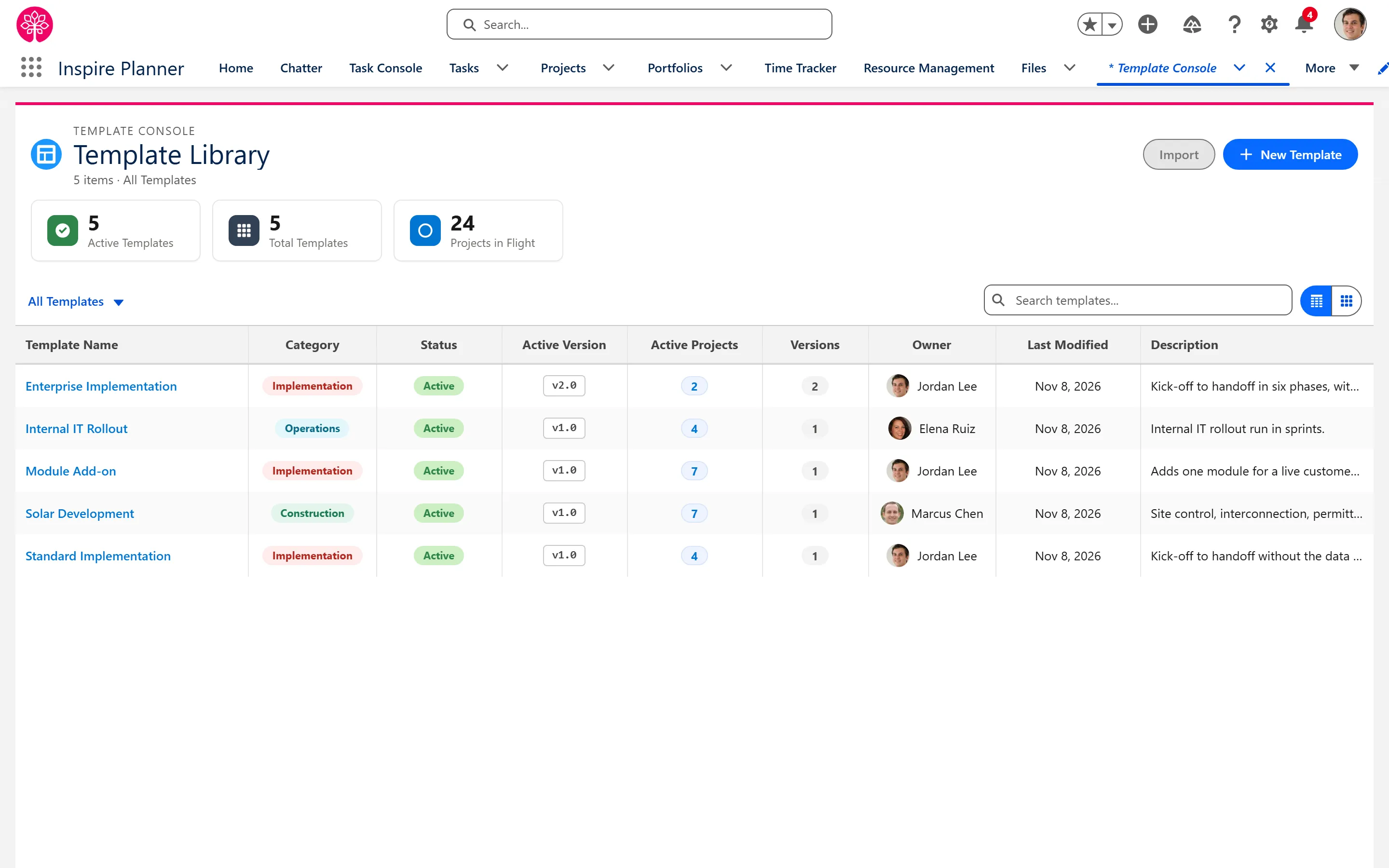
Quality shouldn’t depend on who runs the project
When every project manager starts from a blank plan, delivery varies by person. Templates make your best delivery model the default.
Inside Templates & Standardization
Templates, Template Stitching and Template Console. Part of the platform for every customer.
Available - Opt-in: supported and switched off by default, so you turn it on when you're ready.
From Opportunity Products to a stitched project plan
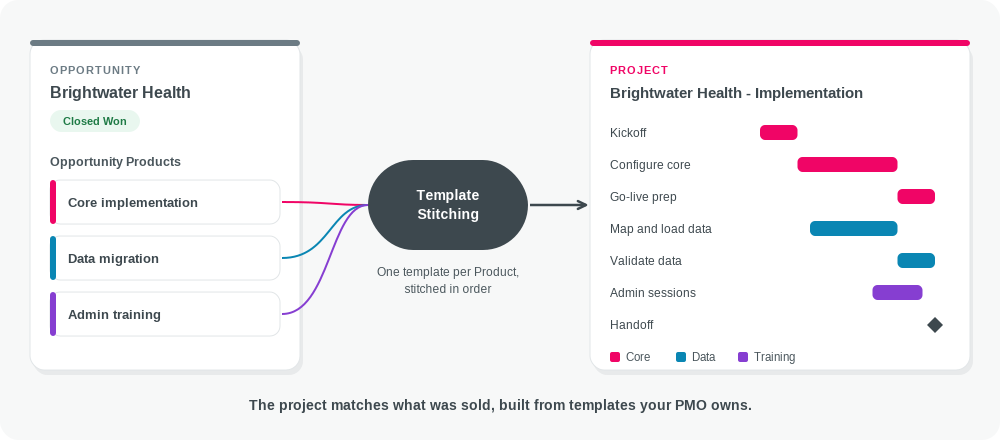
Template Stitching builds the project from the Products on the Opportunity, one template after another, so delivery starts from what was sold.
Who uses Templates & Standardization
Each role maps to a license type. See license types and pricing ›
"The features we use most are project templates, Gantt charts, task dependencies, milestone tracking … which have helped standardize how we execute projects across the organization."
Template questions
Can a project start from the deal?
Yes. Template Stitching builds a project from the Products on an Opportunity, and Process Automation with Flow can create the project from the Opportunity.
Do template changes update live projects?
Not in the platform: templates standardize how projects start. Keeping live projects aligned with updated templates is Advanced Template Management (Smart Sync and Rollback), coming to Premium+ and now in Private BETA with selected customers.
Can one project use more than one template?
Yes. Multi-Template Insert combines several templates in one project, for example a core plan plus a training module.
Where do we manage templates and versions?
In Template Console, Available - Opt-in from the November 2026 Major Release. Inspire Planner records which templates built each project.
Who owns the template library?
Usually the PMO, on a Standard license. Project managers build projects from it, and Global Default Project Settings set what every project starts with.
See a project built from your own Opportunity.
We'll stitch a plan from Products like yours, in Salesforce.