
Project Dashboard: live project status reports in Salesforce
Open the project. The status report is already there.
Health, timeline, tasks and risks for one project, live from the data your team already keeps up to date in Salesforce.
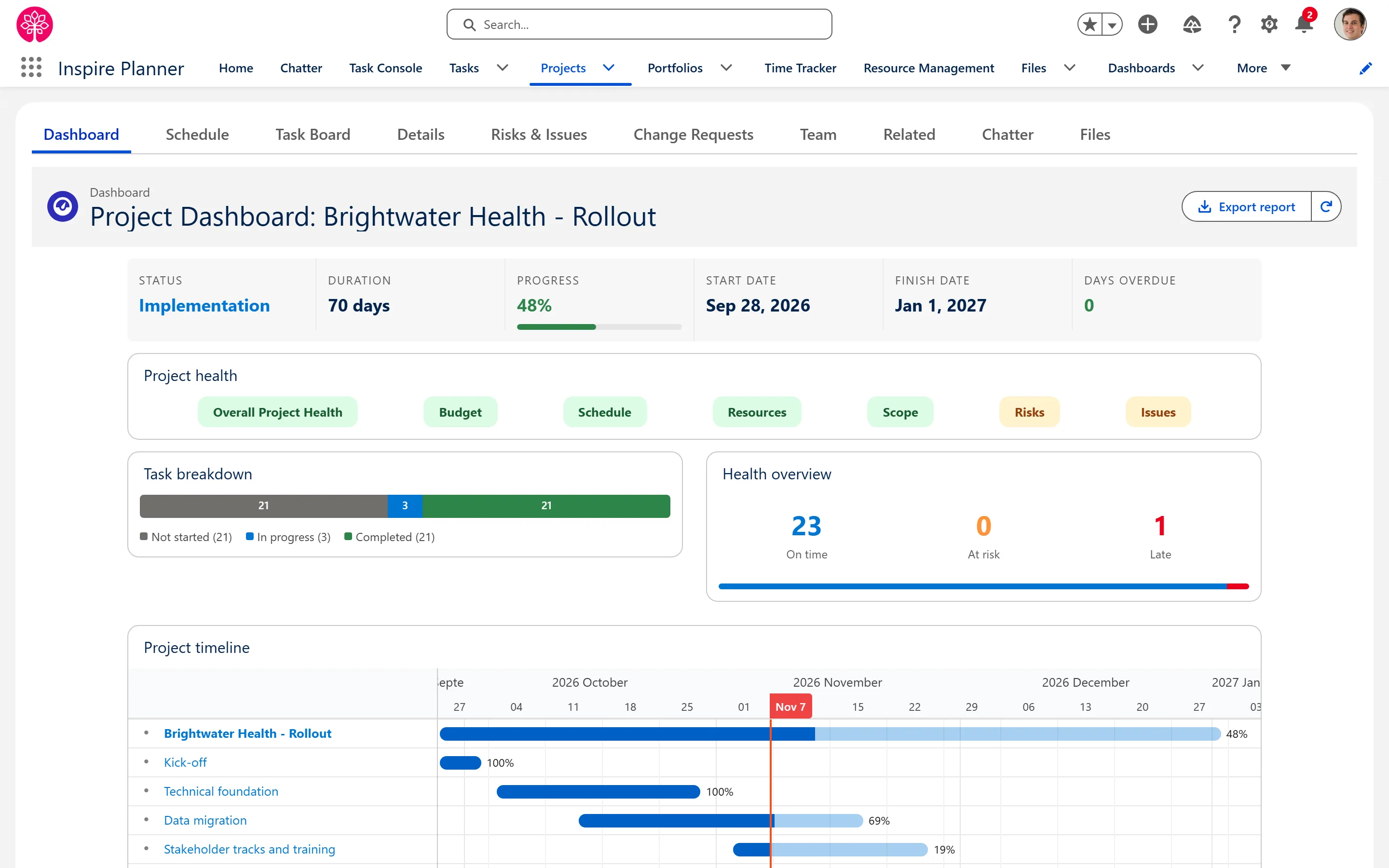
Status should be read, not rebuilt
When status reports are copied from the plan into a slide each week, they're out of date by the time a sponsor reads them. Here is what changes for each person who reads it.
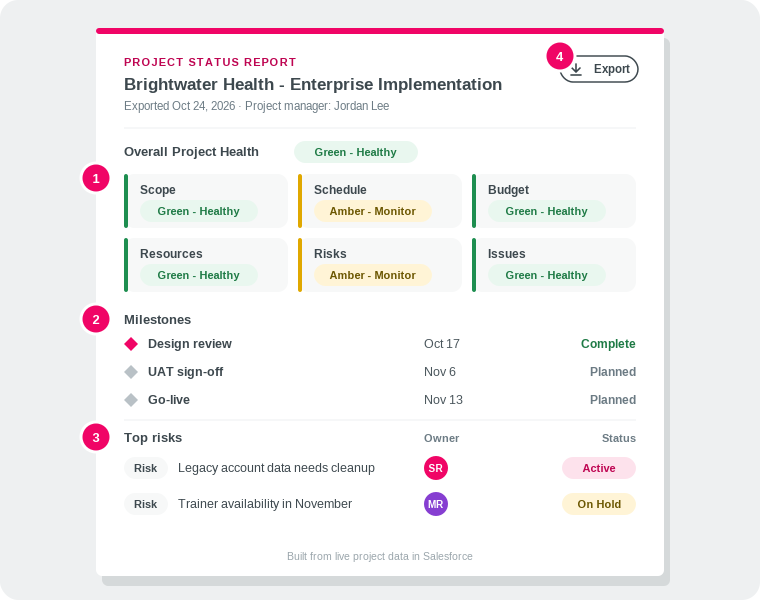
The status report sponsors ask for, already written
Risks next to the schedule they affect
Every risk and issue lives on the project, with an owner and a status, so the sponsor sees it in the same place as the dates.
Logged on the project, not in a separate list Owners and status on every item Rolls up to the Portfolio Dashboard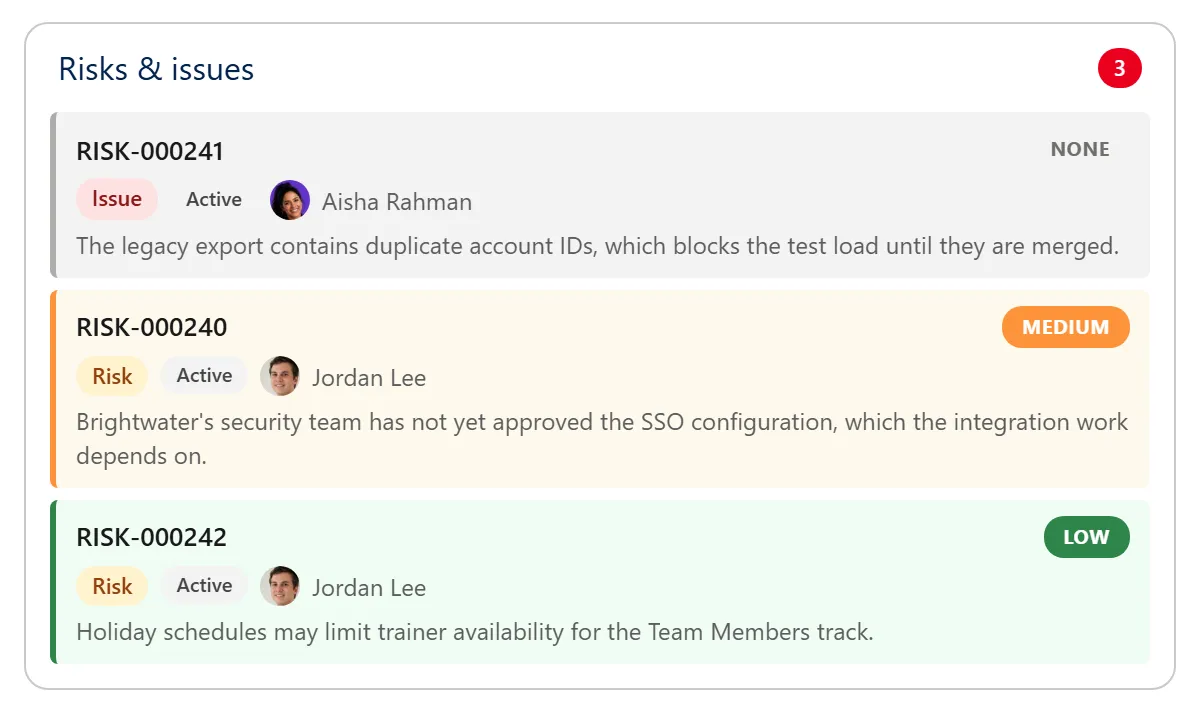
Keep the reports your leadership already reads
Project data lives in Salesforce records, so standard reports and dashboards work on them. Group projects by health, owner or account, the same way you report on everything else.
No export, no second reporting tool Report on projects next to accounts and opportunities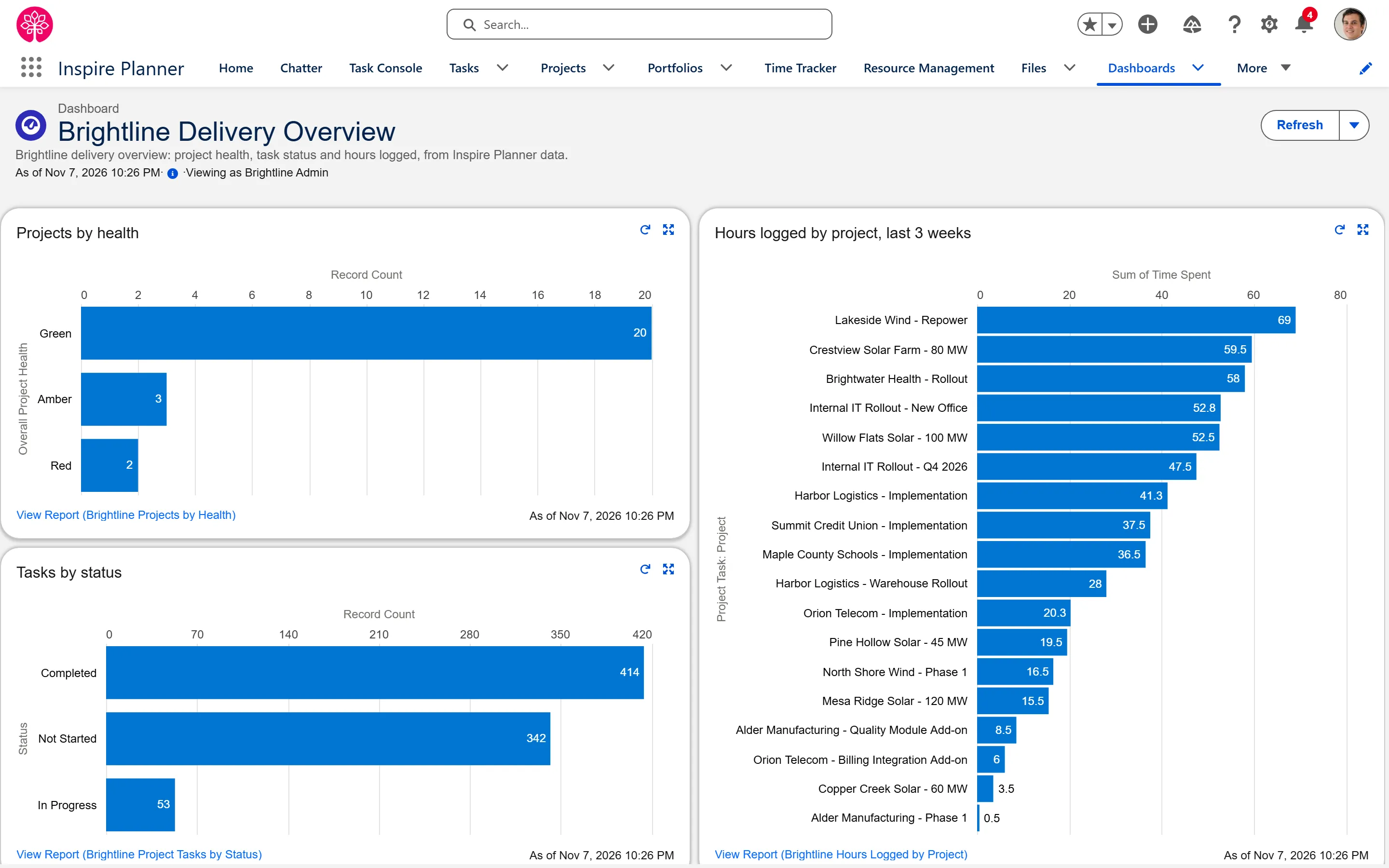
Built from the plan, rolled up to the portfolio
The Project Dashboard reads what project managers plan, what team members update in the Task Console and what clients complete in Inspire Planner - External Portal 2.0, then rolls up to the Portfolio Dashboard.
"Inspire Planner has significantly improved our project organization, visibility, accountability, and reporting, giving leadership better insight into project progress and outcomes."
Questions about Project Dashboard
Where does the dashboard data come from?
From the project records in your Salesforce org: the same tasks, risks and issues your team updates every day.
Which health ratings does it use?
Overall Project Health and six dimensions: Scope, Schedule, Budget, Resources, Risks and Issues. Each is rated Green - Healthy, Amber - Monitor, Red - At Risk or Not Rated.
Can executives see it without editing the plan?
Yes. A Read-Only license gives visibility without the ability to change the plan.
Can we still use Salesforce reports?
Yes. Project data is reportable with standard Salesforce reports and dashboards.
Can we choose what the dashboard shows?
Yes. Your admin configures the Project Dashboard, and anyone who can see it can export the status report for people outside Salesforce.
How is this different from the Portfolio Dashboard?
The Project Dashboard shows one project. The Portfolio Dashboard shows every project in a portfolio, side by side.
See a live project status in Salesforce.
We will show the Project Dashboard on a project like yours.