
Time Management: Salesforce timesheets and approval, built from the work
Timesheets built from the work itself
Team members log time where they work. Project managers and resource managers approve it. Effort flows back to the project, the budget and the dashboards.
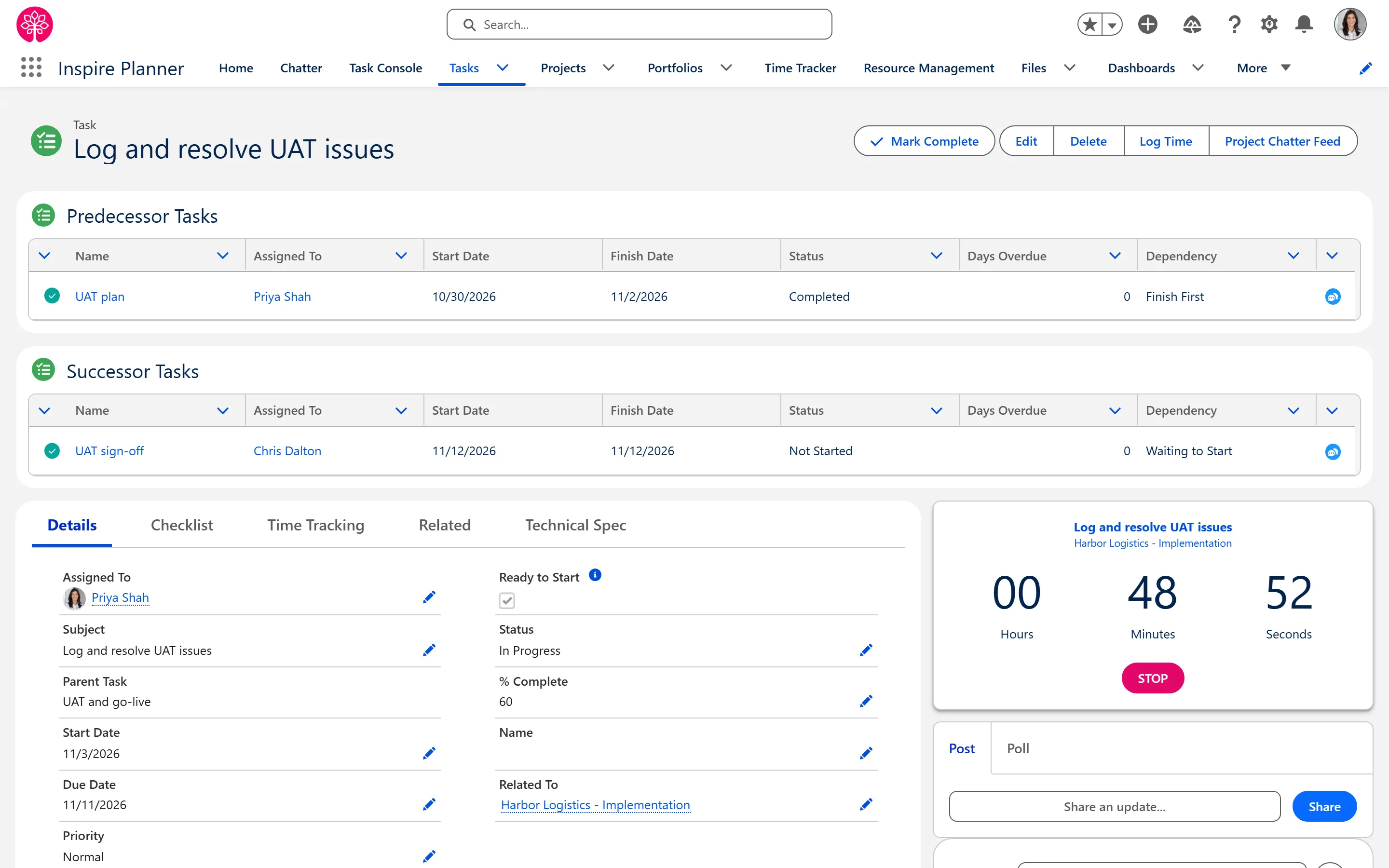
Effort that never reaches the project is effort you can’t manage
When time is logged in a separate system, the plan never knows how much work is really done. Time Management keeps effort on the task, so budgets, utilization and status reflect reality.
Inside Time Management
Two ways to log time, and one timesheet built from it. Part of the platform for every customer.
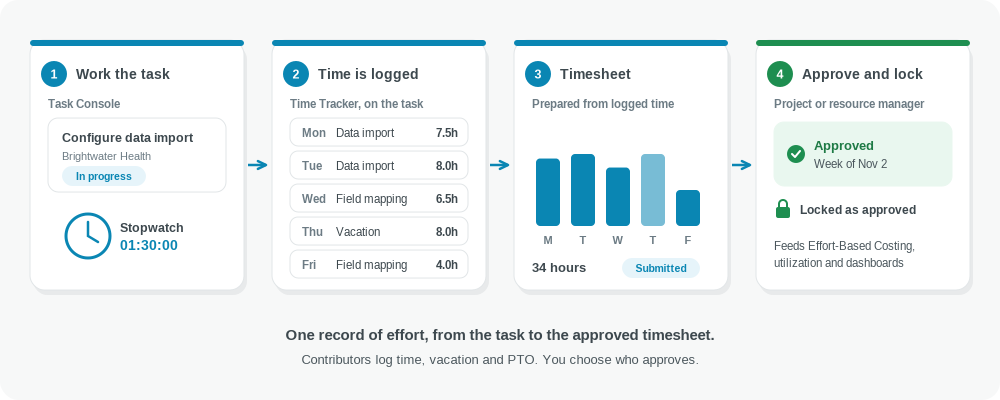
Follow one week of work from the task to a locked timesheet
Time is captured where the work happens, so the timesheet is already prepared when the week ends, and approved effort flows on to costing and dashboards.
Who uses Time Management
Each role maps to a license type. See license types and pricing ›
Time Management questions
Can team members on a Contributor license log time?
Yes. Contributors log time, vacation and PTO, and edit their own tasks in the Task Console, so they don't need a Standard license to keep timesheets current.
Who approves timesheets?
You decide. Project managers can approve time on their own projects, or the PMO and resource managers can approve and lock timesheets centrally.
Does logged time update the budget?
Effort-Based Costing in Budget & Cost Management uses the effort on the project, so budget status reflects work already logged, not only the plan.
Can team members time their work as they go?
Yes. Start the Stopwatch on a task in the Task Console; when you stop it, the time is logged against that task.
Can an approved timesheet be changed?
Approved timesheets are locked, so the record stays as it was approved and reports don't shift after the fact.
Is Time Management a billing tool?
No. It captures effort for the plan, utilization and project budgets. Inspire Planner is not a billing or revenue recognition system.
See a week of timesheets, from task to approval.
We'll log, submit and approve time on a project like yours, in Salesforce.