
Budget & Cost Management: Salesforce project budget tracking
Project budgets you can act on in time
Set budgets, cost effort and see financial performance across projects, in the same system as the plan and the customer.
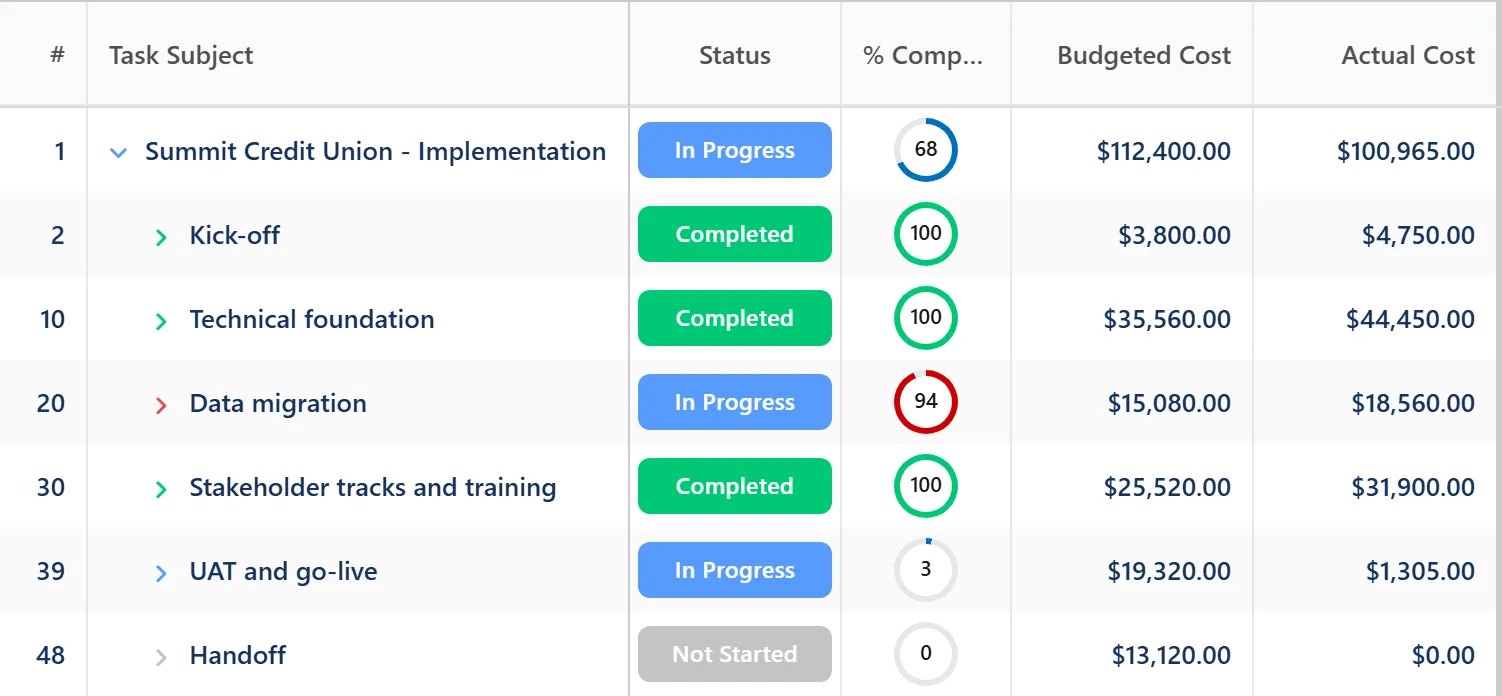
Project budgets belong next to the plan
When budgets live in finance spreadsheets, overruns show up at month end. Budget & Cost Management keeps them on the project.
Inside Budget & Cost Management
Four capabilities that keep budget status on the project. Part of the platform for every customer.
A budget tile on every project, not a ledger
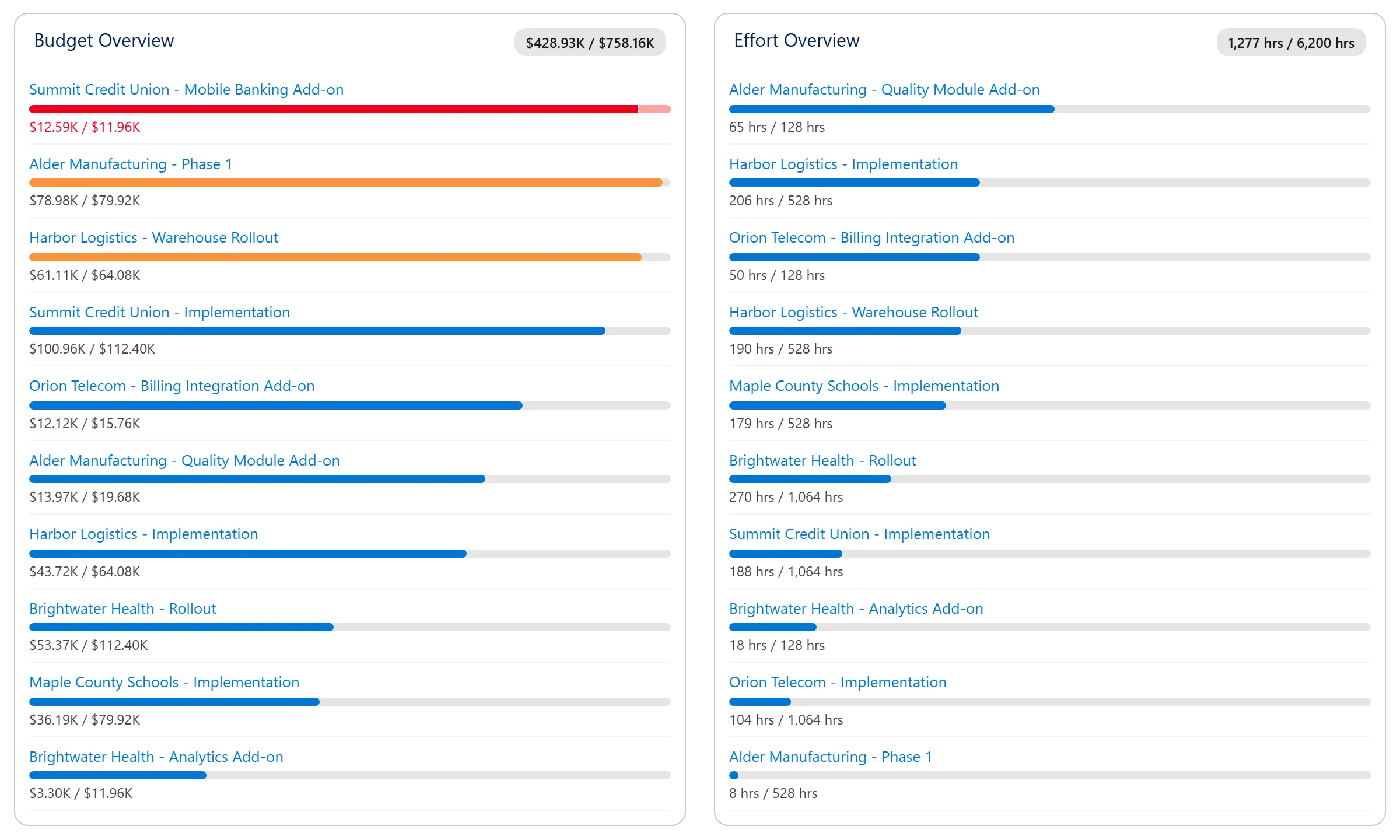
Budget used next to work complete tells the PMO which project needs a conversation, in the currency each project runs in.
Who uses Budget & Cost Management
Each role maps to a license type. See license types and pricing ›
Budget questions
Does Budget & Cost Management replace our finance system?
No. It tracks budgets and actuals for the project, next to the plan and the customer. Billing, revenue recognition and accounting stay in your finance system.
Where does project cost come from?
Effort-Based Costing turns the effort logged on the project into cost, using the time team members already record in Time Management.
Can we work in more than one currency?
Yes. Multi-Currency works with the currencies set up in your Salesforce org.
Can leadership see budgets across projects?
Yes. The Portfolio Dashboard shows budget and effort across the projects in a portfolio, and executives see it on a Read-Only license.
How does budget status reach the Portfolio Dashboard?
Budget health rolls up with each project’s health. The Portfolio Dashboard shows budget and effort across the projects in a portfolio, next to health and risks, so the PMO can see which project needs a conversation before month end.
See budget health on projects like yours.
Budgets, effort and status on the project, shown in Salesforce.