
Project management for healthcare and life sciences teams in Salesforce
Deliver every healthcare project from the Salesforce you already run.
Healthcare services, health technology, benefits and life sciences teams use Inspire Planner to start projects from the sale, keep a high volume of client work moving, and share progress with customers and partners, all inside Salesforce.
Healthcare projects are high volume, deadline-driven and full of handoffs
Your sales team works in Salesforce. Delivery often happens elsewhere: plans sit in spreadsheets or a separate tool, status lives in email, and the customer waiting on go-live sees none of it. Inspire Planner puts the plan, the tasks and the customer record in the same system.
From signed deal to handoff
How a healthcare implementation usually runs inside Inspire Planner.
- 1. PlanStart from a template, or build one from the products on the Opportunity.
- 2. ExecuteEach person works their tasks across every project in Task Console.
- 3. CollaborateCustomers, partners and vendors take part in External Portal. No Salesforce license.
- 4. MonitorProject and portfolio health, risks and budget, live.
- 5. ImproveUpdate the template. Every new project starts better than the last.
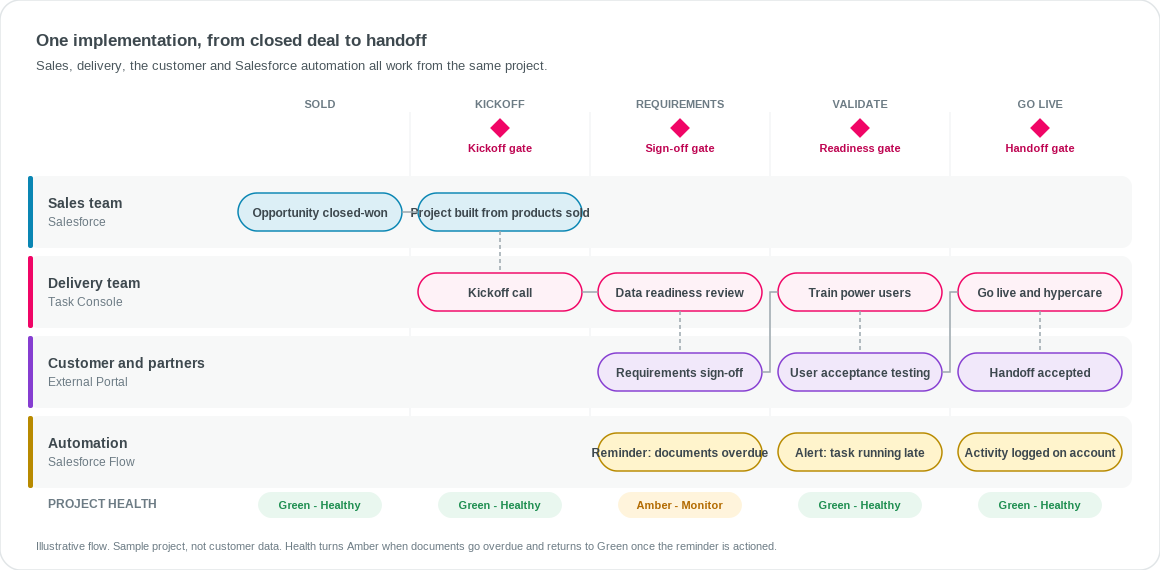
Sales, delivery and the customer on the same project
Nothing is handed over by email. Each group works its own tasks in the same plan, and the gates keep the implementation on track.
How healthcare and life sciences teams use Inspire Planner
- Start the project when the deal closes Build the project from the Opportunity and its products. Template Stitching combines the right templates, so delivery starts from the sale, not from a handoff meeting.
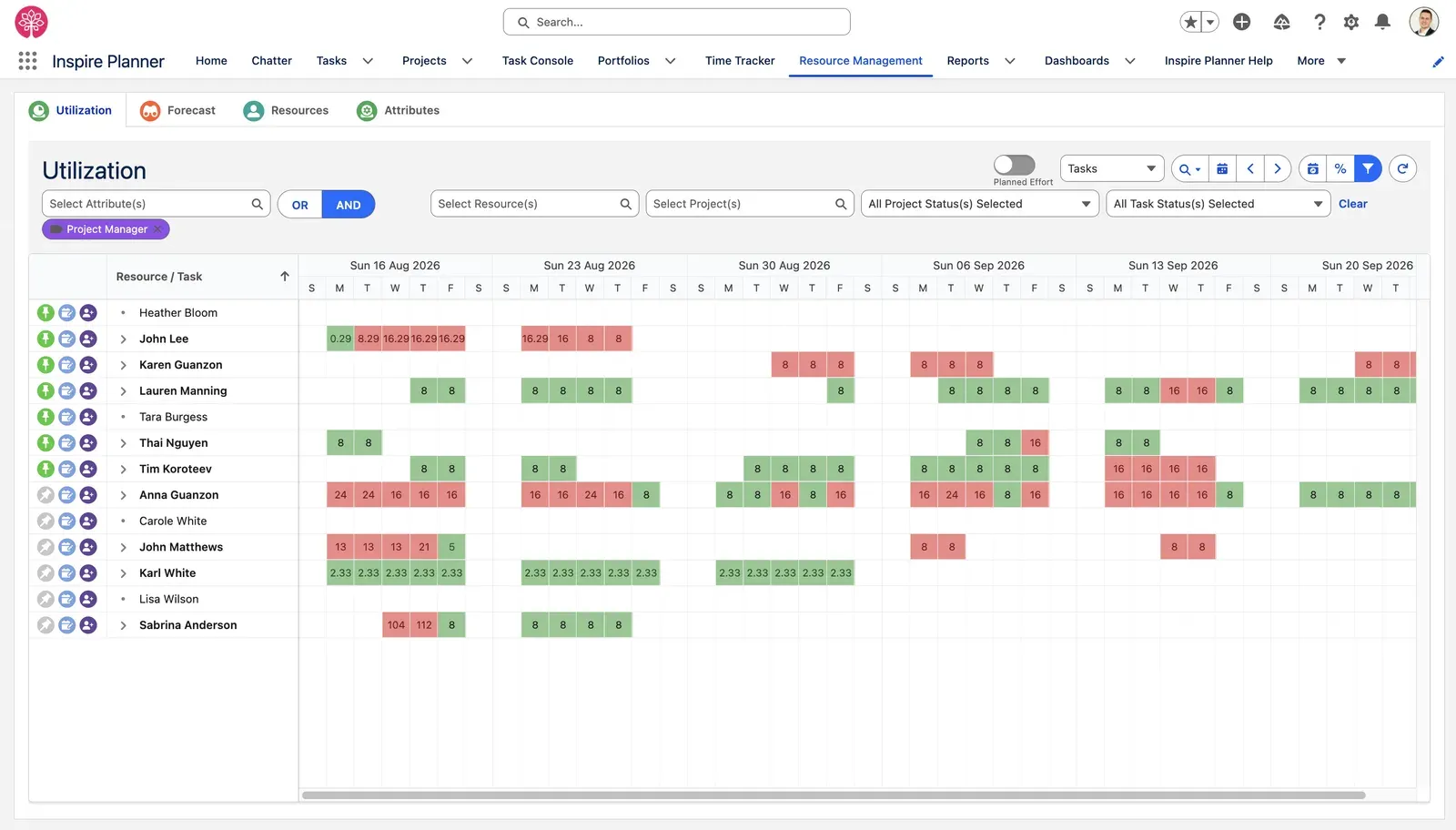
- Run dozens of client projects with a small team Task Console shows each person’s work across every project. The Portfolio Dashboard shows which projects need attention.
- Keep paperwork and follow-ups moving Projects, tasks and checklists are Salesforce records, so Salesforce Flow can send reminders and log activity when a task or document is late.
- Share progress without sharing your org Customers, partners and contractors see their tasks and your updates in External Portal. They see only what you share, and Internal Only keeps the rest private.
- Build gates, risks and approvals into the plan Phases, milestones and dependencies, up to five baselines, a risk and issue register, and change requests for scope control.
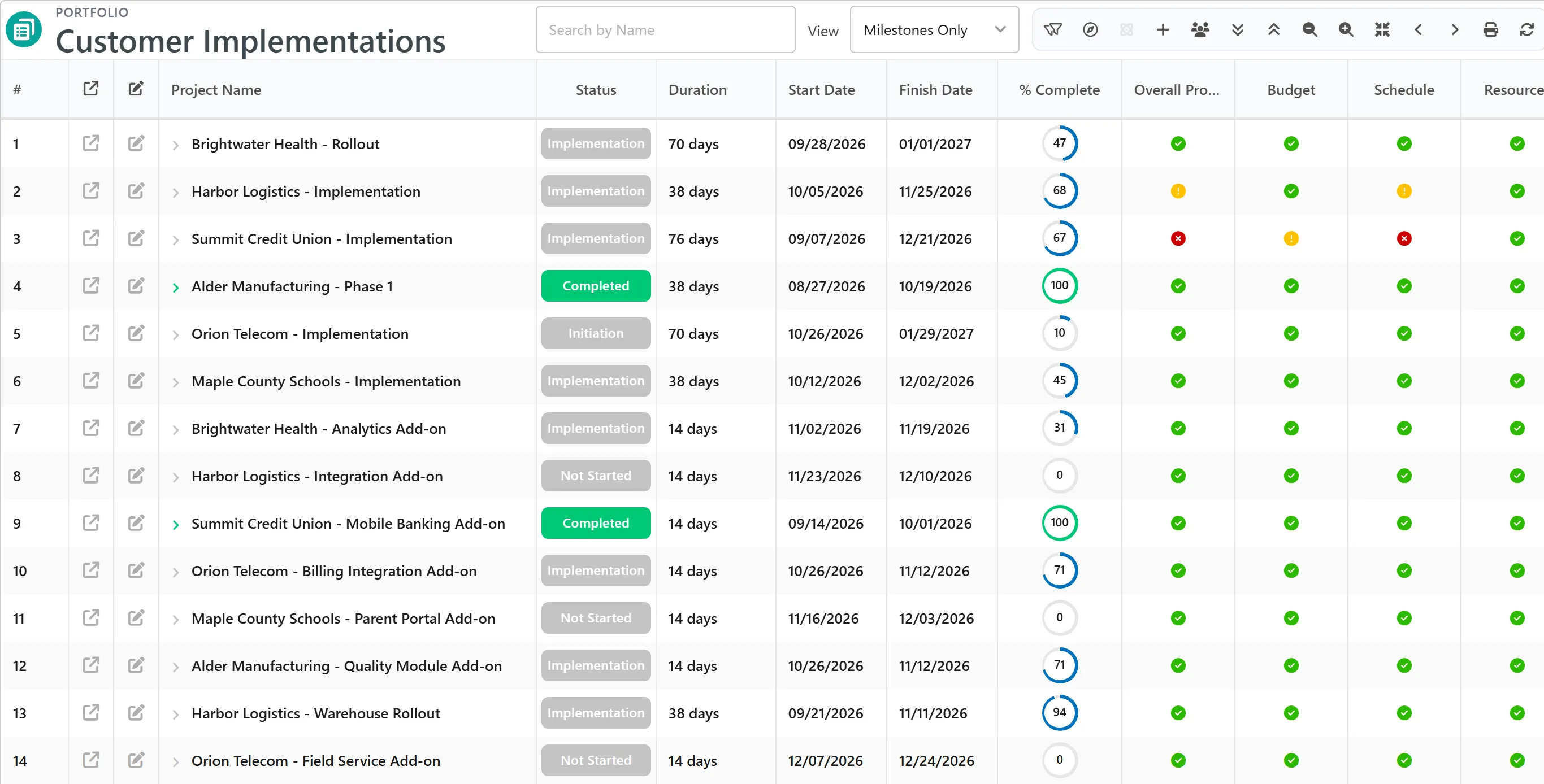
- See portfolio health without assembling reports Green - Healthy, Amber - Monitor and Red - At Risk across every active project, with budget and effort alongside.
A starting template for a customer implementation
An illustration of how a health services or health technology team might structure an implementation. Your template will follow your process.
Capabilities that matter most to healthcare teams
The Product Areas healthcare teams turn on first, and the question each one answers.
See the work, not the status report
Project health, risks and budget for every client project, live from your Salesforce data. Task Console gives every team member one list across projects.
Trusted by teams in healthcare services, health technology, benefits and life sciences.
"The app is fantastic, has optimized the workflows of my team and with it being [embedded] in SF, it makes communication across the org streamlined."
Questions from healthcare and life sciences teams
Is Inspire Planner a clinical or patient system?
No. Inspire Planner manages project delivery: plans, tasks, risks, budgets and handoffs. It does not hold clinical records or run clinical workflows.
How is project data secured?
Project data is stored as records in your Salesforce org, so your sharing model, permission sets and field-level security decide who sees what. External Collaborators see only what you share. Read more on our security page.
Does it work in our Salesforce org?
Inspire Planner installs from AppExchange into your Salesforce org and runs on your own data, alongside whatever clouds you use.
Can customers, vendors or partners see their projects without a Salesforce license?
Yes. External Collaborators need no Salesforce license and carry no Inspire Planner per-user fee. Experience Cloud is a separate option for customers who want Inspire Planner inside their own Salesforce site.
Can projects start automatically when a deal closes?
Yes. Create projects from Opportunities, and use Template Stitching to build the plan from the products sold. Salesforce Flow can trigger projects and reminders from other record changes.
Is Inspire Planner a PSA or billing system?
No. Inspire Planner is a Project Execution Platform for structured project delivery. It manages project budgets and costs. It is not a billing or revenue recognition system.
How long does onboarding take?
Standard Onboarding follows a structured 6-8 week onboarding plan with the Inspire Planner team. Data migration and custom automation are scoped separately, and your Salesforce partner can extend the platform alongside us.
Show us how your team delivers projects today.
Tell us about your implementations and handoffs. We will show you how they look in Inspire Planner.